

Exam Code: 2V0-17.25
Exam Name: VMware Cloud Foundation 9.0 Administrator
Certification Provider: VMware
Corresponding Certification: VCP-VCF Administrator
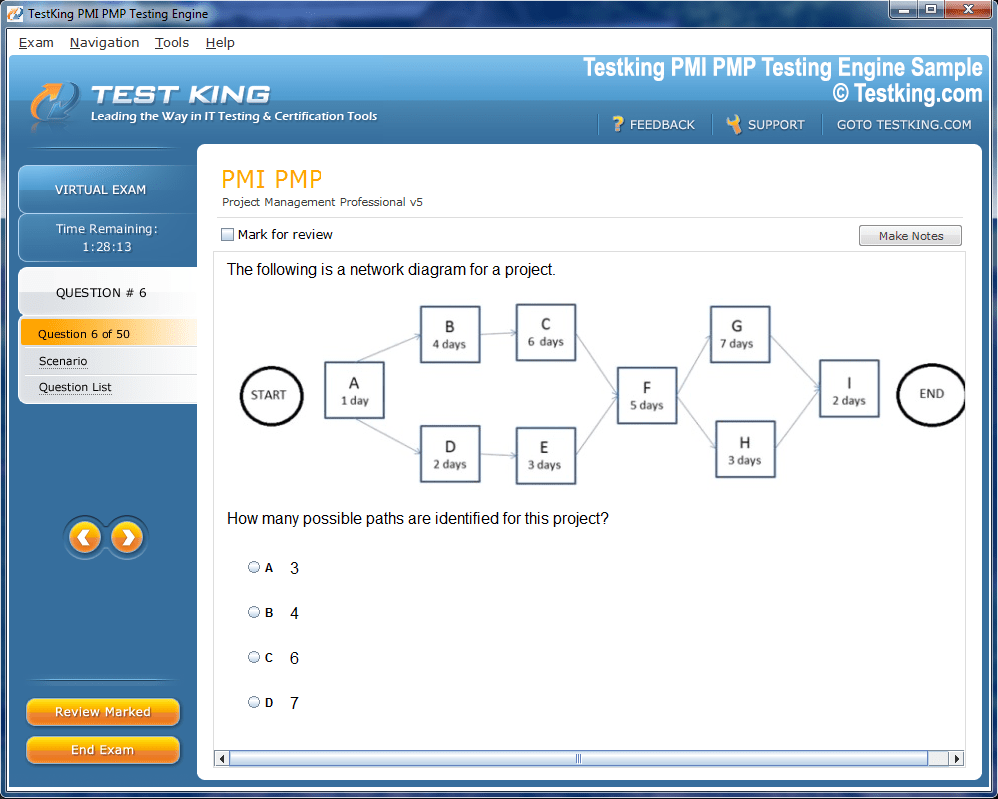
Product Screenshots
Frequently Asked Questions
Where can I download my products after I have completed the purchase?
Your products are available immediately after you have made the payment. You can download them from your Member's Area. Right after your purchase has been confirmed, the website will transfer you to Member's Area. All you will have to do is login and download the products you have purchased to your computer.
How long will my product be valid?
All Testking products are valid for 90 days from the date of purchase. These 90 days also cover updates that may come in during this time. This includes new questions, updates and changes by our editing team and more. These updates will be automatically downloaded to computer to make sure that you get the most updated version of your exam preparation materials.
How can I renew my products after the expiry date? Or do I need to purchase it again?
When your product expires after the 90 days, you don't need to purchase it again. Instead, you should head to your Member's Area, where there is an option of renewing your products with a 30% discount.
Please keep in mind that you need to renew your product to continue using it after the expiry date.
How many computers I can download Testking software on?
You can download your Testking products on the maximum number of 2 (two) computers/devices. To use the software on more than 2 machines, you need to purchase an additional subscription which can be easily done on the website. Please email support@testking.com if you need to use more than 5 (five) computers.
What operating systems are supported by your Testing Engine software?
Our 2V0-17.25 testing engine is supported by all modern Windows editions, Android and iPhone/iPad versions. Mac and IOS versions of the software are now being developed. Please stay tuned for updates if you're interested in Mac and IOS versions of Testking software.
Top VMware Exams
- 2V0-17.25 - VMware Cloud Foundation 9.0 Administrator
- 2V0-13.25 - VMware Cloud Foundation 9.0 Architect
- 3V0-25.25 - Advanced VMware Cloud Foundation 9.0 Networking
- 2V0-16.25 - VMware vSphere Foundation 9.0 Administrator
- 3V0-21.25 - Advanced VMware Cloud Foundation 9.0 Automation
- 3V0-24.25 - VMware Certified Advanced Professional - VMware Cloud Foundation VKS
- 2V0-21.23 - VMware vSphere 8.x Professional
- 2V0-15.25 - VMware Cloud Foundation 9.0 Support
- 2V0-41.24 - VMware NSX 4.X Professional V2
- 3V0-11.26 - VMware Certified Advanced Professional - VMware Cloud Foundation 9 Administrator
- 2V0-72.22 - Professional Develop VMware Spring
- 2V0-51.23 - VMware Horizon 8.x Professional
- 2V0-11.25 - VMware Cloud Foundation 5.2 Administrator
- 3V0-32.23 - Cloud Management and Automation Advanced Design
- 3V0-22.25 - Advanced VMware Cloud Foundation 9.0 Operations
Security Best Practices and Role-Based Access Control in VMware 2V0-17.25 Preparation
The VMware 2V0-17.25 certification represents a professional-level credential that validates expertise in VMware's virtualization and cloud infrastructure technologies with particular emphasis on security practices and operational management. This examination targets IT professionals who design, implement, and manage VMware environments in enterprise settings where security, availability, and operational efficiency represent critical organizational priorities. As virtualization continues to serve as the foundational technology layer beneath both private cloud and hybrid cloud architectures, professionals who can demonstrate verified competence in securing and managing VMware platforms remain consistently in demand across industries ranging from financial services to healthcare and government sectors. Understanding the full career relevance of this credential motivates candidates to invest the sustained preparation effort that genuine examination readiness genuinely requires.
The 2V0-17.25 sits within VMware's Professional certification tier, representing a significant advancement beyond associate-level knowledge and signaling to employers that the holder possesses the depth of technical understanding required for senior virtualization engineering and administration roles. Organizations that depend on VMware infrastructure for critical workloads need professionals who understand not only basic platform operation but the security architecture, access control frameworks, and operational best practices that protect virtualized environments from increasingly sophisticated threats. Recognizing this specific professional positioning helps candidates understand exactly what knowledge depth and practical skill level they must achieve throughout their preparation journey to meet the genuine expectations the certification establishes.
Exploring the Core Examination Domains That Define the 2V0-17.25 Assessment Framework
The 2V0-17.25 examination is structured around several interconnected domains that together represent the comprehensive knowledge required for professional-level VMware security and operations expertise. These domains encompass VMware infrastructure architecture, security configuration and hardening, role-based access control implementation, network virtualization security, storage security practices, and operational monitoring and compliance. Each domain carries specific weighting within the overall examination structure that reflects its relative importance in real-world VMware environment management. Understanding how these domains relate to one another conceptually helps candidates build an integrated mental model of VMware security rather than treating each topic as an isolated subject disconnected from the broader platform context.
The interconnected nature of VMware security means that knowledge developed within one examination domain frequently informs and enriches understanding of every other area covered by the assessment. Security configuration knowledge applies across compute, network, and storage domains simultaneously, while role-based access control concepts govern administrative access to virtually every platform component. Operational monitoring practices depend on understanding what security events and configuration states matter most across all infrastructure layers. Candidates who approach the 2V0-17.25 examination by seeking these conceptual connections between domains develop a qualitatively richer understanding than those who study each domain in strict isolation without considering how topics interact in actual VMware deployments. Reviewing the complete domain blueprint before beginning formal preparation ensures that study efforts align consistently with examination objectives throughout the entire process.
Developing Deep Understanding of VMware vSphere Security Architecture and Platform Hardening
VMware vSphere security architecture forms the foundational technical layer that candidates must understand thoroughly before advancing to more specialized security topics within the 2V0-17.25 examination framework. The vSphere security model encompasses host security, virtual machine security, management network security, and storage access security as interconnected layers that together define the overall security posture of a VMware environment. Understanding how ESXi hypervisor security features including secure boot, TPM integration, and host profile enforcement work together to establish and maintain a trusted computing foundation prepares candidates for architectural security questions that require reasoning about platform-level protections rather than individual configuration settings. This foundational security architecture knowledge contextualizes every subsequent security topic throughout the examination curriculum.
ESXi host hardening represents particularly important examination content that requires candidates to understand the specific configuration practices that reduce the attack surface of hypervisor hosts in production environments. Disabling unnecessary services, configuring appropriate firewall rules, implementing certificate-based authentication, enabling audit logging, and applying VMware's security configuration guide recommendations are all hardening practices that appear within examination content at varying levels of specificity. Understanding the security implications of common ESXi configuration decisions, including which services present genuine security risks when enabled unnecessarily and why specific hardening recommendations exist, develops the security reasoning capability that scenario-based hardening questions demand. Hands-on practice configuring ESXi host security settings in laboratory environments builds the practical familiarity that transforms theoretical hardening knowledge into confident examination performance.
Mastering Role-Based Access Control Principles That Govern VMware Environment Administration
Role-based access control represents one of the most extensively tested and professionally critical topics within the 2V0-17.25 examination, requiring candidates to develop thorough understanding of how vCenter Server's permission model governs administrative access across virtualized infrastructure. The vCenter permission model consists of three interconnected components including roles that define collections of privileges, users and groups who receive permission assignments, and inventory objects that serve as the targets of those permission assignments. Understanding how these three components combine to create effective access control configurations, and how permission inheritance propagates through the vCenter inventory hierarchy from datacenter objects down through clusters, hosts, and individual virtual machines, is essential knowledge for answering both conceptual and scenario-based RBAC questions throughout the examination.
VMware provides a set of predefined system roles including Administrator, Read-Only, and No-Access that serve as starting points for common permission scenarios, but production environments typically require custom roles tailored to specific administrative responsibilities and organizational security policies. Candidates must understand how to create custom roles by selecting appropriate privilege combinations that grant exactly the access required for specific administrative functions without providing unnecessary permissions that violate the principle of least privilege. Understanding common administrative personas including virtual machine administrators, network administrators, storage administrators, and security auditors, and how to configure appropriate role assignments for each within the vCenter permission model, prepares candidates for scenario questions that present described organizational requirements and ask for the correct RBAC configuration approach. Practicing custom role creation and permission assignment in laboratory environments develops the applied RBAC knowledge that distinguishes thoroughly prepared candidates.
Understanding vCenter Server Security Configuration and Certificate Management Practices
vCenter Server security configuration represents a significant examination topic area that requires candidates to understand how the central management platform for VMware environments is secured, hardened, and maintained in compliance with organizational security requirements. Certificate management is particularly important content, as vCenter Server uses certificates extensively for authentication, encrypted communication, and establishing trust relationships between platform components. Understanding the VMware Certificate Authority, its role in issuing and managing certificates for vCenter components, and the implications of certificate replacement and renewal processes prepares candidates for certificate management questions that reflect real operational challenges encountered in production VMware environments. Certificate problems are among the most disruptive issues that VMware administrators encounter, making this knowledge both examination-relevant and immediately professionally applicable.
Authentication configuration for vCenter Server including integration with enterprise identity providers through Active Directory and LDAP, configuration of the vCenter Single Sign-On identity source, and implementation of multi-factor authentication through smart card or other second-factor mechanisms all represent important security configuration content assessed by the examination. Understanding how SSO domains, identity sources, and authentication policies interact to govern who can authenticate to vCenter Server and what they can access after authentication creates an integrated view of the access management architecture that scenario questions about authentication problems and security configurations specifically test. Lockout policies, password complexity requirements, and session timeout configurations round out the authentication security knowledge that candidates must master to perform well across the security-focused questions distributed throughout the entire examination.
Navigating Virtual Machine Security Practices That Protect Workloads in VMware Environments
Virtual machine security represents a distinct examination domain that addresses how individual workloads are protected within the VMware virtualization layer, separate from but complementary to the host and management platform security practices covered elsewhere in the curriculum. VM encryption, which protects virtual machine files at rest using encryption managed through vCenter and integrated with the VMware Key Management Server framework, represents particularly important security content given its growing adoption in organizations with stringent data protection requirements. Understanding how VM encryption works architecturally, what it protects against, its performance implications, and how encryption policies are configured and applied through VM Storage Policies prepares candidates for questions about protecting sensitive workloads within virtualized environments. This knowledge reflects genuine security challenges that VMware administrators face in regulated industries.
Virtual machine hardening practices including removing unnecessary hardware devices, disabling unused features like copy-paste between guest and host, configuring appropriate resource limits that prevent denial-of-service conditions, and implementing VMware Tools security configurations all appear within examination content related to reducing the attack surface of individual virtual machines. Understanding the VMware security configuration guide recommendations for virtual machines and the security reasoning behind each recommendation develops the principled security thinking that allows candidates to reason about unfamiliar scenarios rather than simply recalling memorized configuration steps. vSphere Trust Authority, which provides a mechanism for establishing hardware-rooted trust for sensitive VM workloads, represents more advanced VM security content that demonstrates the depth of VMware security architecture knowledge the 2V0-17.25 examination expects candidates to possess at the professional certification level.
Implementing Network Virtualization Security Practices With NSX and vSphere Networking
Network security within VMware environments encompasses both traditional vSphere virtual networking security practices and the more sophisticated capabilities provided by VMware NSX network virtualization, both of which feature prominently within 2V0-17.25 examination content. Standard and distributed virtual switch security policies including promiscuous mode settings, MAC address change policies, and forged transmit controls represent foundational network security configurations that candidates must understand in terms of both implementation and security implications. These switch-level security settings prevent common network attacks including MAC spoofing and unauthorized traffic inspection that could compromise virtual machine security even within a physically secured datacenter environment. Understanding why each policy setting exists and what specific threat it mitigates develops the security reasoning that examination questions in this area consistently reward.
NSX micro-segmentation capabilities represent advanced network security content that reflects the growing adoption of software-defined networking for security purposes in enterprise VMware environments. Understanding how NSX distributed firewall policies apply security controls at the individual virtual machine network interface level, enabling granular east-west traffic filtering that traditional perimeter firewalls cannot achieve, prepares candidates for questions about modern VMware network security architectures. NSX security groups, security policies, and the relationship between inventory objects and firewall rule application are specific technical concepts that examination questions probe at varying levels of depth. Gateway firewall configurations, IDS/IPS capabilities, and network detection and response features available within the NSX security platform round out the network security knowledge that thoroughly prepared 2V0-17.25 candidates must develop before examination day.
Understanding Storage Security Practices and Encryption Mechanisms in VMware Deployments
Storage security represents an important examination domain that addresses how VMware environments protect data integrity, confidentiality, and availability across the storage layers that virtual machine workloads depend upon. vSAN encryption, which provides data-at-rest protection for VMware's hyper-converged storage solution, requires candidates to understand both cluster-level encryption configuration and the key management infrastructure that vSAN encryption depends upon for key storage and retrieval operations. Understanding the difference between data-at-rest encryption and data-in-transit encryption within vSAN environments, along with the operational implications of enabling encryption including performance considerations and the critical importance of key management server availability, prepares candidates for storage security questions that require reasoning about trade-offs rather than simple configuration recall. Storage security knowledge reflects genuine enterprise requirements that many organizations face when deploying sensitive workloads on VMware infrastructure.
Storage access control practices including NFS Kerberos authentication, iSCSI CHAP authentication, and Fibre Channel zoning represent network storage security mechanisms that candidates must understand at a depth appropriate for professional-level certification. These protocols protect storage traffic from unauthorized access and ensure that only authorized hosts can access specific storage resources within shared storage environments. Understanding how VMware datastore permissions interact with vCenter role-based access control to govern which administrators can perform storage management operations adds another layer of storage security knowledge that the examination assesses. vSphere storage policy-based management, including how encryption and replication policies are defined and applied to virtual machine storage through the storage policy framework, connects storage security practices with the broader policy-driven management approach that characterizes modern VMware environment administration.
Developing Operational Monitoring and Security Compliance Practices for VMware Environments
Operational monitoring and security compliance represent examination domains that address how VMware environments are observed, audited, and maintained in conformance with organizational security policies and regulatory requirements over time. VMware vCenter Server's native audit logging capabilities, which record administrative actions taken through the management platform, represent foundational monitoring knowledge that candidates must understand in terms of both configuration and the security value audit logs provide for incident investigation and compliance demonstration. Understanding what events are logged, how log retention is configured, and how audit logs integrate with external security information and event management platforms enables candidates to answer monitoring questions that reflect the real operational security challenges VMware administrators face in organizations with active security programs and compliance obligations.
VMware Aria Operations, formerly known as vRealize Operations, represents a significant monitoring and compliance platform that appears within 2V0-17.25 examination content addressing how organizations achieve comprehensive visibility into VMware environment health, performance, and security compliance status. Understanding how Aria Operations collects and analyzes metrics from vSphere infrastructure components, generates compliance reports against security benchmarks like the VMware Security Hardening Guides and CIS benchmarks, and alerts administrators to configuration drift prepares candidates for monitoring and compliance questions that require knowledge of VMware's native management tooling. Configuration management practices including the use of vSphere Host Profiles to enforce consistent host configurations across large ESXi deployments connect operational consistency with security assurance in ways that examination questions about maintaining secure VMware environments at scale specifically address.
Building a Structured Study Plan That Systematically Addresses All 2V0-17.25 Examination Topics
Creating a realistic and structured study plan before beginning 2V0-17.25 preparation prevents the disorganized approach that leaves candidates uncertain about their coverage completeness as examination day approaches. Most VMware professionals with associate-level vSphere knowledge recommend dedicating ten to fourteen weeks to professional-level examination preparation, with earlier weeks establishing strong foundational knowledge in core security architecture and RBAC concepts before advancing to more specialized topics including NSX security, storage encryption, and compliance monitoring. Organizing study weeks around the examination's domain structure and weighting ensures that preparation effort remains proportional to actual examination content distribution throughout the entire timeline. Breaking the overall content volume into weekly themed study segments transforms an overwhelming curriculum into a manageable progression of focused learning objectives.
Weekly study sessions should deliberately combine conceptual learning through official VMware documentation and video training resources with hands-on laboratory practice in VMware environments accessible through personal homelab setups, VMware's Hands-on Labs platform, or cloud-based lab services. VMware's official documentation including administration guides, security configuration guides, and best practice whitepapers provide authoritative technical reference material that is naturally aligned with examination content because it reflects VMware's own understanding of how its platforms should be configured and secured. Scheduling mid-preparation practice examinations provides objective progress measurement and identifies specific knowledge gaps while sufficient preparation time remains to address them systematically. Building review sessions for previously covered material into each week's schedule prevents the knowledge decay that commonly affects candidates who only move forward through new content without periodically reinforcing earlier learning.
Leveraging VMware Official Resources and Hands-On Labs for Authentic Preparation Depth
VMware's official learning resources represent the highest-quality and most examination-aligned preparation materials available to 2V0-17.25 candidates, and using them as the primary foundation for preparation ensures that knowledge development remains grounded in accurate, current technical information. VMware Learning, the company's official training platform, offers instructor-led courses, on-demand video training, and digital learning paths specifically designed for candidates pursuing VMware professional certifications. These official courses provide structured coverage of all examination domains with the technical accuracy and depth that third-party resources, while valuable as supplements, cannot always guarantee. VMware's Hands-on Labs platform provides free access to pre-configured VMware environments where candidates can practice security configurations, RBAC implementations, and operational procedures without requiring personal hardware or software licenses.
VMware's extensive documentation library including the vSphere Security Configuration and Hardening Guide, NSX-T Security Guide, vSAN Administration Guide, and vCenter Server Administration documentation provides the detailed technical reference material that examination questions draw from extensively. Reading relevant sections of these official guides alongside training course content builds the depth of technical understanding that distinguishes candidates who can answer nuanced scenario questions from those who only have surface-level familiarity with VMware security concepts. The VMware {code} community, VMUG user group resources, and VMware's technical blog provide supplementary perspectives from experienced practitioners that enrich examination preparation with real-world context and practical insights that purely formal study materials sometimes lack. Combining official VMware resources with community knowledge and hands-on practice creates the most comprehensive and effective preparation foundation available to 2V0-17.25 candidates.
Practicing With Scenario-Based Questions to Develop the Reasoning Skills Examinations Reward
The 2V0-17.25 examination emphasizes scenario-based questions that require candidates to apply knowledge to realistic situations rather than simply recall isolated facts, making the development of applied reasoning skills an essential preparation goal alongside content knowledge acquisition. These scenario questions typically present a described organizational requirement, security problem, or operational challenge and ask candidates to identify the most appropriate VMware configuration, security practice, or troubleshooting approach from among several plausible options. Developing comfort with this question style requires deliberate practice analyzing scenarios, identifying the key technical requirements or constraints they present, and reasoning systematically toward the best answer rather than reacting impulsively to surface-level question features. Candidates who invest time specifically in scenario analysis practice perform significantly better on this question type than equally knowledgeable candidates who only practiced with straightforward factual questions.
Practice examination platforms offering 2V0-17.25 specific question sets from providers including MeasureUp, Dion Training, and VMware's own official practice assessments provide the most examination-relevant preparation for developing scenario reasoning skills. Reviewing every incorrect answer with genuine analytical curiosity about the underlying concept, and specifically understanding why the correct answer is better than the chosen incorrect option in the context of VMware security best practices, transforms each practice session into a targeted conceptual refinement exercise. Tracking performance trends across domains and question types throughout the preparation period provides objective evidence of genuine skill development and helps candidates focus remaining preparation time on the specific areas where reasoning gaps still exist. Full-length timed practice examinations in distraction-free conditions develop the mental endurance and time management discipline that performing well across an entire professional-level examination consistently demands.
Conclusion
Mastering the security best practices and role-based access control concepts assessed by the VMware 2V0-17.25 examination represents a genuinely valuable professional achievement for virtualization engineers and administrators who are serious about advancing their careers in enterprise infrastructure management. The comprehensive preparation approach outlined across these domains, encompassing VMware security architecture, RBAC implementation, virtual machine and network security, storage protection, and operational compliance monitoring, gives every candidate a clear and structured pathway toward examination success. The technical knowledge and practical skills developed throughout this preparation journey extend far beyond examination performance, directly enhancing a professional's ability to design, secure, and operate VMware environments that meet the stringent security requirements of modern enterprise organizations. For IT professionals committed to building genuine expertise in VMware security and operations, the 2V0-17.25 certification represents both a respected career milestone and a solid technical foundation upon which increasingly sophisticated virtualization expertise can be developed and applied throughout an entire professional lifetime dedicated to enterprise infrastructure excellence.