Exam Code: 2V0-13.25
Exam Name: VMware Cloud Foundation 9.0 Architect
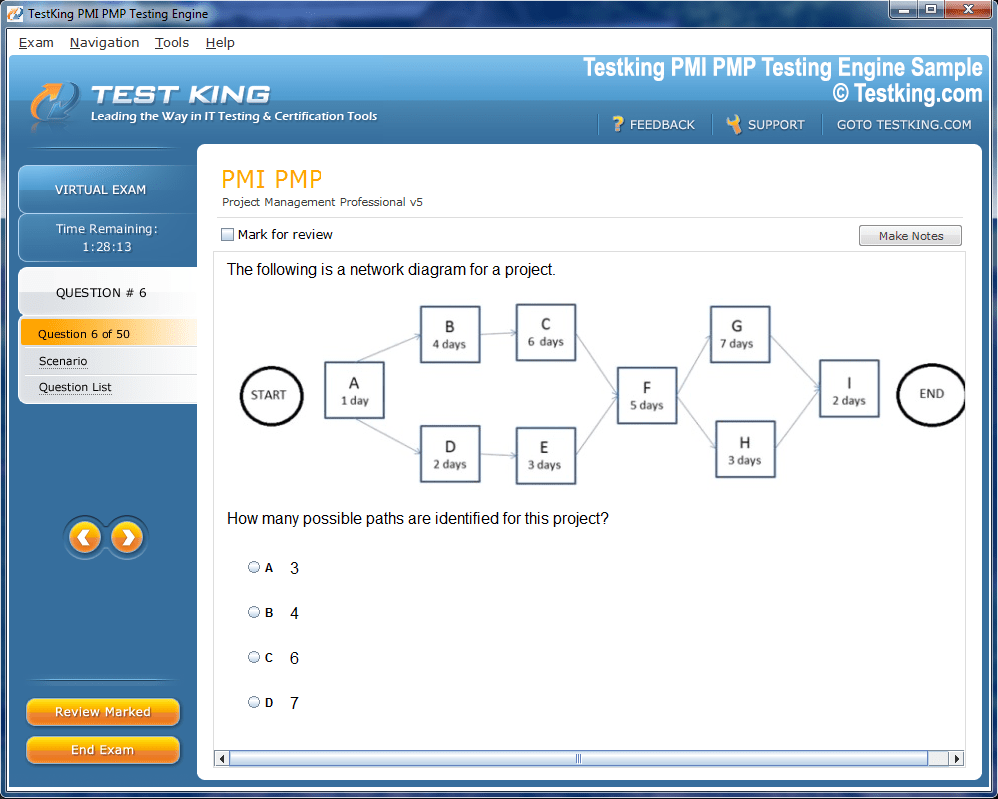
Product Screenshots
Frequently Asked Questions
Where can I download my products after I have completed the purchase?
Your products are available immediately after you have made the payment. You can download them from your Member's Area. Right after your purchase has been confirmed, the website will transfer you to Member's Area. All you will have to do is login and download the products you have purchased to your computer.
How long will my product be valid?
All Testking products are valid for 90 days from the date of purchase. These 90 days also cover updates that may come in during this time. This includes new questions, updates and changes by our editing team and more. These updates will be automatically downloaded to computer to make sure that you get the most updated version of your exam preparation materials.
How can I renew my products after the expiry date? Or do I need to purchase it again?
When your product expires after the 90 days, you don't need to purchase it again. Instead, you should head to your Member's Area, where there is an option of renewing your products with a 30% discount.
Please keep in mind that you need to renew your product to continue using it after the expiry date.
How many computers I can download Testking software on?
You can download your Testking products on the maximum number of 2 (two) computers/devices. To use the software on more than 2 machines, you need to purchase an additional subscription which can be easily done on the website. Please email support@testking.com if you need to use more than 5 (five) computers.
What operating systems are supported by your Testing Engine software?
Our 2V0-13.25 testing engine is supported by all modern Windows editions, Android and iPhone/iPad versions. Mac and IOS versions of the software are now being developed. Please stay tuned for updates if you're interested in Mac and IOS versions of Testking software.
Top VMware Exams
- 2V0-17.25 - VMware Cloud Foundation 9.0 Administrator
- 2V0-13.25 - VMware Cloud Foundation 9.0 Architect
- 2V0-21.23 - VMware vSphere 8.x Professional
- 2V0-16.25 - VMware vSphere Foundation 9.0 Administrator
- 2V0-41.24 - VMware NSX 4.X Professional V2
- 2V0-72.22 - Professional Develop VMware Spring
- 2V0-62.23 - VMware Workspace ONE 22.X Professional
- 3V0-21.23 - VMware vSphere 8.x Advanced Design
- 2V0-11.25 - VMware Cloud Foundation 5.2 Administrator
- 5V0-62.22 - VMware Workspace ONE 21.X UEM Troubleshooting Specialist
- 5V0-22.23 - VMware vSAN Specialist v2
- 2V0-51.23 - VMware Horizon 8.x Professional
- 2V0-32.24 - VMware Cloud Operations 8.x Professional
- 2V0-33.22 - VMware Cloud Professional
Mastering vCenter Server Deployment and Management for VMware 2V0-13.25 Certification
The vCenter Server stands as the centralized management platform that orchestrates entire VMware virtualized environments, serving as the nerve center for administrators who need unified control over multiple ESXi hosts and virtual machines. This management solution provides a single pane of glass through which IT professionals can monitor, configure, and optimize their infrastructure with precision and efficiency. The architecture consists of several interconnected services that work harmoniously to deliver seamless management capabilities across distributed computing environments.
Within this framework, administrators encounter various components including the vSphere Client, Platform Services Controller, and database repositories that store configuration data. The system relies on a sophisticated service-oriented architecture where each component fulfills specific responsibilities while communicating through well-defined application programming interfaces. Understanding these architectural nuances becomes crucial when preparing for certification exams, as candidates must demonstrate comprehensive knowledge of how these elements interact. The GRE score range assessment process shares similar complexity in evaluating multiple skill dimensions simultaneously.
Deployment Models and Choosing the Right Configuration
Organizations face critical decisions when selecting between embedded and external Platform Services Controller deployments, each offering distinct advantages depending on infrastructure scale and operational requirements. The embedded model integrates all services within a single instance, simplifying smaller environments where management overhead must remain minimal. This approach reduces complexity and accelerates initial deployment timelines for teams with limited resources.
Conversely, the external model separates authentication and certificate management services, enabling enhanced scalability for enterprise-grade deployments spanning multiple geographical locations. This architecture supports high availability configurations and provides greater flexibility when managing numerous vCenter Server instances within the same SSO domain. Organizations must evaluate their current needs and future growth projections before committing to a particular deployment strategy. Digital PSAT adaptations require careful consideration of format changes, deployment choices demand thorough analysis.
Prerequisites and System Requirements for Successful Installation
Proper planning establishes the foundation for trouble-free vCenter Server deployment, requiring administrators to verify hardware specifications, network configurations, and software dependencies before initiating installation procedures. The system demands adequate CPU resources, memory allocation, and storage capacity that scales proportionally with the number of managed hosts and virtual machines. Undersized deployments inevitably lead to performance degradation and operational challenges.
Network requirements include properly configured DNS resolution, NTP synchronization, and firewall rules that permit essential communication between vCenter components and managed infrastructure. Database preparation represents another crucial prerequisite, whether leveraging the embedded PostgreSQL database for smaller environments or connecting to external Microsoft SQL Server or Oracle instances for enterprise deployments. Administrators should verify that all certificates meet current security standards and that backup procedures are established before proceeding. Just as NCLEX preparation requires meeting specific educational prerequisites, vCenter deployment demands systematic preparation.
Installation Methods and Step-by-Step Deployment Procedures
The vCenter Server Appliance offers a streamlined Linux-based deployment option that eliminates Windows Server licensing requirements and simplifies the overall installation process. This appliance-based approach utilizes a two-stage deployment wizard that first deploys the virtual machine and subsequently configures all necessary services through an intuitive web interface. Administrators appreciate the reduced complexity and standardized deployment methodology that minimizes potential configuration errors.
The installation process begins with mounting the ISO image and launching the deployment wizard, which guides users through network configuration, sizing selection, and authentication setup. Stage one deploys the appliance virtual machine with specified compute and storage resources, while stage two configures vCenter services, database settings, and integration with existing infrastructure components. Throughout this process, administrators must carefully document configuration choices and maintain detailed records of passwords and service accounts. TOEFL speaking strategies that require systematic preparation approaches, installation procedures benefit from methodical execution.
Post-Deployment Configuration and Initial Setup Tasks
Following successful deployment, administrators must complete numerous configuration tasks to prepare the environment for production use, including licensing application, datacenter creation, and cluster configuration. The vSphere Client provides comprehensive management interfaces where users can establish organizational structures that mirror their physical infrastructure layout. Proper hierarchy design facilitates efficient resource allocation and simplifies ongoing administration.
Initial configuration also encompasses host additions, distributed switch configuration, and storage integration that connects the vCenter Server to underlying SAN or NAS infrastructure. Administrators should establish standardized naming conventions, configure alarm definitions, and implement permission structures that enforce least-privilege access principles. These foundational steps ensure that the environment operates securely and efficiently from day one. The systematic approach required mirrors TEAS comprehension skill development where foundational knowledge enables advanced capabilities.
Identity and Access Management Configuration
Single Sign-On configuration establishes the authentication framework that controls user access across the entire vCenter Server ecosystem, supporting integration with Active Directory, LDAP directories, and federated identity providers. This capability enables administrators to leverage existing identity infrastructure rather than maintaining separate user databases. Proper SSO configuration streamlines user management and enhances security posture.
The system supports multiple authentication domains, allowing organizations to accommodate complex enterprise directory structures where users and groups span different organizational units or forest boundaries. Administrators configure identity sources through the vSphere Client, specifying connection parameters, search base distinguished names, and service account credentials. Regular synchronization ensures that vCenter permissions reflect current directory membership, automatically granting or revoking access as personnel changes occur. Understanding these concepts proves essential for exam success, SAT test-optional policies impact college admissions strategies.
Role-Based Access Control and Permission Structures
Granular permission management enables administrators to delegate specific responsibilities while maintaining strict control over sensitive operations, implementing security principles that limit potential damage from compromised accounts or insider threats. The vCenter Server provides predefined roles covering common administrative scenarios, from read-only monitoring to full administrative access. Organizations can also create custom roles tailored to their unique operational requirements.
Permissions propagate through the inventory hierarchy, allowing administrators to assign rights at datacenter, cluster, or individual object levels with inheritance simplifying management at scale. The system evaluates permissions using a most-permissive model when users hold multiple roles, though administrators can block inheritance for sensitive resources requiring explicit authorization. Regular permission audits help identify excessive privileges and ensure compliance with security policies. This layered security approach resembles strategies used in PTE reading comprehension where multiple skills combine for success.
Networking Fundamentals and Virtual Switch Configuration
Virtual networking forms the communication backbone connecting virtual machines to each other and to external networks, requiring careful planning to ensure adequate performance, security, and reliability. Standard vSwitches provide basic connectivity within individual hosts, while Distributed vSwitches offer centralized management across entire clusters. Each approach serves specific use cases depending on infrastructure complexity and operational requirements.
Configuration involves creating port groups that define network policies including VLAN assignments, traffic shaping parameters, and security settings that control promiscuous mode and MAC address changes. Administrators must understand physical network topology and coordinate with network teams to ensure proper VLAN trunking and upstream switch configuration. Proper network design prevents broadcast storms, optimizes traffic flow, and maintains isolation between security zones. The complexity mirrors that found in LSAT study planning where multiple variables affect outcomes.
Storage Architecture and Datastore Management
Storage configuration connects vCenter Server to enterprise storage arrays through protocols including Fibre Channel, iSCSI, NFS, and vSAN, each offering distinct performance characteristics and operational considerations. Proper storage design ensures that virtual machines receive adequate IOPS, throughput, and capacity while maintaining data protection through redundancy and replication. Administrators must understand storage array capabilities and limitations.
Datastores represent logical storage containers that house virtual machine files, templates, and ISO images, with administrators creating and configuring these objects through the vSphere Client interface. Storage policies enable automated placement decisions based on performance requirements, availability needs, and cost considerations. Regular capacity monitoring prevents exhaustion scenarios that halt virtual machine provisioning and disrupt operations. Understanding these storage concepts parallels the depth required in ITIL service management frameworks that govern IT operations.
High Availability Design Principles
vSphere High Availability provides automated restart capabilities that detect host failures and recover virtual machines on surviving cluster members, dramatically reducing downtime for critical workloads without manual intervention. This feature requires shared storage access and proper network configuration to enable heartbeat monitoring and virtual machine restart orchestration. Admission control policies ensure sufficient resources remain available for failover scenarios.
Configuration involves enabling HA at the cluster level and specifying restart priorities that determine which virtual machines receive precedence during recovery operations. Administrators define isolation response behaviors, datastore heartbeating settings, and proactive HA parameters that migrate virtual machines away from degrading hosts before complete failure occurs. Testing failover procedures validates that the configuration performs as expected under actual failure conditions. This reliability focus matches the rigor of ITIL certification standards that ensure service continuity.
Distributed Resource Scheduler Implementation
DRS automates workload balancing across cluster hosts, continuously monitoring resource utilization and performing live migrations to optimize performance and maintain operational efficiency. This intelligent placement engine considers CPU and memory consumption patterns, affinity rules, and resource pool allocations when making migration decisions. Properly configured DRS eliminates manual load balancing efforts and prevents hotspot development.
Administrators configure DRS automation levels ranging from manual recommendations to fully automated migrations, selecting thresholds that balance optimization benefits against migration overhead. Affinity and anti-affinity rules enforce placement constraints, keeping related workloads together or separating them for fault tolerance purposes. Resource pools enable hierarchical resource allocation with shares, reservations, and limits controlling access to compute resources. Mastering DRS configuration requires understanding comparable to ITIL exam preparation where comprehensive knowledge proves essential.
Monitoring and Performance Management
Effective monitoring identifies performance bottlenecks, capacity constraints, and anomalous behavior before they impact business operations, utilizing built-in vCenter metrics that track thousands of performance counters across the infrastructure. The system collects statistics at configurable intervals, storing historical data for trend analysis and capacity planning. Administrators configure alarms that trigger notifications when thresholds are exceeded.
Performance charts visualize resource consumption patterns across CPU, memory, storage, and network dimensions, helping administrators diagnose issues and validate optimization efforts. Advanced monitoring features include latency sensitivity settings, resource pool statistics, and storage I/O control metrics that provide deep visibility into infrastructure behavior. Regular performance reviews identify optimization opportunities and inform infrastructure expansion decisions. This analytical approach mirrors preparation strategies used for IELTS home study where consistent monitoring drives improvement.
Backup and Recovery Strategies
Comprehensive backup strategies protect vCenter Server configuration data, ensuring rapid recovery following disasters or configuration errors that corrupt the management infrastructure. The appliance includes native backup functionality that captures configuration settings, historical data, and inventory information. Regular backup schedules prevent data loss and enable restoration to known-good states.
Recovery procedures vary depending on failure scenarios, ranging from simple service restarts to complete appliance restoration from backup archives stored on external storage systems. Administrators should maintain documented recovery procedures and periodically test restoration processes to verify backup integrity and staff readiness. File-based backup and image-level backups offer complementary protection strategies. The thoroughness required parallels HESI A2 biology preparation where comprehensive coverage ensures success.
Update Management and Patching Procedures
Maintaining current software versions addresses security vulnerabilities, resolves functional issues, and provides access to enhanced capabilities that improve operational efficiency. VMware releases regular updates and patches that require systematic testing and deployment across production environments. Update Manager provides centralized patch management capabilities for both vCenter Server itself and managed ESXi hosts.
The update process begins with planning that identifies maintenance windows, tests patches in non-production environments, and communicates schedules to stakeholders. Pre-update activities include verification of backup currency, snapshot creation for rapid rollback if needed, and validation that no blocking issues exist. Post-update validation confirms that all services operate correctly and that no unexpected issues emerged. Similar rigor applies to ACT test strategies where thorough preparation yields better outcomes.
Troubleshooting Common Deployment Issues
Systematic troubleshooting methodologies enable rapid issue resolution when deployments encounter unexpected errors or configuration problems that prevent successful completion. Common challenges include DNS resolution failures, insufficient resources, network connectivity issues, and certificate validation problems. Log file analysis provides crucial diagnostic information that pinpoints root causes.
Administrators utilize various troubleshooting tools including the vSphere Client task console, appliance shell access for command-line diagnostics, and log bundle collection that gathers comprehensive diagnostic data. Knowledge base articles document known issues and resolution procedures, while VMware support provides assistance for complex scenarios. Developing strong troubleshooting skills requires hands-on practice and systematic problem-solving approaches. This methodical mindset resembles that needed for PowerShell scripting mastery where logical thinking drives solutions.
Certification Preparation and Study Strategies
Success on the VMware 2V0-13.25 certification exam requires comprehensive understanding of deployment procedures, management tasks, and troubleshooting methodologies covered throughout the official exam blueprint. Candidates should combine hands-on laboratory practice with theoretical study, utilizing official VMware training materials, practice exams, and community resources. Practical experience proves invaluable for understanding real-world scenarios.
Study plans should allocate sufficient time for each exam objective, with emphasis on areas where personal knowledge gaps exist and focused review of challenging concepts. Practice environments allow experimentation with different configuration options and troubleshooting exercises that reinforce learning. Many successful candidates maintain study notes, create summary documents, and participate in study groups. The preparation intensity mirrors requirements for Office application expertise where proficiency demands dedicated practice.
Advanced Features and Enterprise Capabilities
Enterprise deployments leverage advanced vCenter capabilities including Enhanced Linked Mode that connects multiple vCenter Server instances for unified management across geographic boundaries. Content libraries provide centralized template and ISO management with automatic synchronization across sites. These features scale management capabilities beyond single-datacenter constraints.
The platform supports multi-site architectures with sophisticated replication and disaster recovery capabilities that protect critical workloads against site-level failures. Integration with third-party management platforms extends functionality through APIs and plugins that customize the environment for specific organizational needs. Advanced features require careful planning and thorough understanding of their implementation requirements. This complexity parallels challenges in wireless networking certifications where layered knowledge builds expertise.
Security Hardening and Compliance
Security hardening transforms default vCenter installations into locked-down systems that resist attack and comply with organizational security policies and industry regulations. VMware provides security configuration guides detailing recommended settings that reduce attack surfaces while maintaining operational functionality. Implementation requires balancing security requirements against usability considerations.
Hardening activities include certificate replacement with organization-signed certificates, service account password rotation, unnecessary service disabling, and audit logging configuration that tracks administrative actions. Regular security assessments verify ongoing compliance and identify configuration drift that weakens security posture. Integration with security information and event management systems enables centralized monitoring and incident response. The discipline required resembles Linux skills development where systematic learning builds comprehensive capabilities.
Automation and Scripting Integration
PowerCLI provides PowerShell-based automation that eliminates repetitive manual tasks and ensures consistent configuration across large-scale deployments. Scripts can perform bulk operations, generate reports, and implement compliance checks that would require hours of manual effort. Automation reduces human error and accelerates operational workflows.
Effective automation begins with identifying frequently performed tasks that benefit from scripting, developing tested code modules that handle edge cases gracefully, and implementing version control for script management. REST APIs offer alternative automation paths for integration with orchestration platforms and custom applications. Organizations building automation capabilities realize significant efficiency gains and operational improvements. This programmatic approach connects with network infrastructure planning where systematic design ensures reliability.
Capacity Planning and Infrastructure Scaling
Proactive capacity planning prevents resource exhaustion scenarios that constrain business growth and degrade user experience, utilizing historical performance data to forecast future requirements. The process examines trends in virtual machine deployment rates, resource consumption patterns, and workload characteristics that influence infrastructure demands. Regular capacity reviews inform hardware acquisition and expansion planning.
Planning activities include right-sizing virtual machines to eliminate waste, identifying underutilized resources that can support additional workloads, and projecting when current infrastructure will reach capacity constraints. What-if analysis explores how proposed changes affect resource availability and helps prioritize investments. Capacity management represents an ongoing discipline rather than a one-time exercise. This forward-looking perspective aligns with network diagram planning where visualization guides decisions.
Cluster Management and Resource Optimization Strategies
Cluster configuration represents a pivotal management layer that pools resources from multiple hosts, enabling advanced features like High Availability, Distributed Resource Scheduler, and centralized policy enforcement. Administrators create clusters by grouping hosts with similar characteristics, typically within the same physical location with shared storage access. This logical grouping simplifies management and enables resource sharing across the pool.
Within clusters, administrators configure admission control policies that reserve capacity for failover scenarios, ensuring sufficient resources remain available even when hosts fail unexpectedly. Resource pool hierarchies allow delegation of capacity to different departments or application teams while enforcing consumption limits through reservations, shares, and limits. Effective cluster design balances resource consolidation benefits against blast radius considerations that could impact multiple workloads simultaneously. Organizations pursuing NCMA certification credentials encounter similar concepts of structured resource management.
Virtual Machine Lifecycle Management
Comprehensive lifecycle management encompasses virtual machine creation, configuration, cloning, migration, and eventual decommissioning through standardized processes that maintain consistency and prevent configuration drift. Templates provide standardized starting points that embed organizational standards for operating system configuration, security settings, and application installations. Cloning operations accelerate deployment while maintaining desired configurations.
Guest operating system customization specifications automate post-deployment configuration tasks including hostname assignment, network settings, domain joining, and license activation. These specifications integrate with orchestration workflows that provision complete application stacks with minimal manual intervention. Regular template updates ensure that newly deployed machines incorporate current patches and security configurations. Virtual machine sprawl prevention requires governance policies that track ownership, enforce retirement schedules, and reclaim resources from abandoned instances. Organizations studying Netskope security platforms understand similar governance requirements for cloud resource management.
Storage Policy Management and Automation
Storage Policy-Based Management decouples storage selection from manual datastore choices, instead using policies that express requirements for performance, availability, and data protection characteristics. Virtual machines tagged with specific policies automatically land on datastores meeting those criteria, simplifying storage administration and ensuring consistent placement. Policy compliance monitoring alerts administrators when storage configurations drift from desired states.
The system integrates with storage array APIs through VASA providers that report capability profiles, allowing vCenter to make intelligent placement decisions based on actual array characteristics rather than administrator assumptions. Policy-driven storage enables self-service provisioning where application owners select appropriate service tiers without understanding underlying storage architecture. Dynamic policy evaluation ensures that virtual machines remain compliant even as storage infrastructure evolves. These automation principles parallel those found in EMC RecoverPoint implementations where policies govern replication behavior.
Network Virtualization and Micro-Segmentation
Distributed Virtual Switches extend networking capabilities beyond single hosts, providing consistent network configuration across entire clusters with centralized management and policy enforcement. Network administrators define port groups once and consume them across multiple hosts, ensuring uniform VLAN assignments, security policies, and QoS parameters. Private VLANs enable advanced isolation scenarios within shared physical infrastructure.
Traffic shaping capabilities control bandwidth consumption for specific workloads, preventing noisy neighbors from monopolizing network capacity and ensuring predictable performance for critical applications. Network health checks validate distributed switch configuration consistency across all participating hosts, identifying misconfigurations that could disrupt connectivity. Integration with physical network infrastructure requires coordination on VLAN trunking, MTU settings, and spanning tree configurations. Organizations implementing EMC Unity storage solutions face comparable integration challenges requiring careful planning.
vMotion and Live Migration Capabilities
vMotion enables live virtual machine migration between hosts without service interruption, allowing maintenance activities, load balancing, and resource optimization without affecting running workloads. The technology transfers active memory, execution state, and storage connections while maintaining network connectivity through distributed switch abstractions. Modern implementations support simultaneous migrations across compute, storage, and network boundaries.
Long-distance vMotion extends capabilities across metropolitan areas, supporting disaster avoidance scenarios and dynamic workload placement between datacenters. The feature requires low-latency connectivity, consistent host configurations, and careful network design that maintains connection state during migrations. Successful migrations depend on adequate bandwidth provisioning and proper planning of migration timelines to avoid resource contention. Organizations Dell EMC cloud architecture certification discover similar concepts around workload mobility.
Fault Tolerance and Continuous Availability
vSphere Fault Tolerance provides zero-downtime protection for critical virtual machines through continuous synchronization of execution state to secondary instances running on different hosts. This active-active configuration maintains a shadow virtual machine that assumes operations immediately upon primary failure without requiring restart procedures. The technology suits workloads requiring absolute continuity despite limited scalability due to synchronization overhead.
Configuration involves enabling FT for specific virtual machines after validating that compatibility requirements are met, including CPU feature compatibility across hosts and network configuration supporting FT logging traffic. The secondary virtual machine consumes equivalent resources to the primary, effectively doubling the infrastructure cost for protected workloads. Organizations must carefully evaluate which workloads justify the overhead versus alternatives like application-level clustering or rapid HA restart. These protection strategies connect with EMC data science concepts where data integrity remains paramount.
Content Library Management and Template Distribution
Content Libraries centralize management of virtual machine templates, vApp templates, ISO images, and other content types that require distribution across multiple vCenter Server instances or geographic locations. Published libraries enable sharing across organizational boundaries, while subscribed libraries automatically synchronize content from upstream sources. This architecture eliminates manual template copying and ensures consistency across distributed environments.
Administrators define synchronization schedules that balance content freshness against bandwidth consumption, with options for on-demand downloads that defer transfer until actual consumption occurs. Version control capabilities track template changes over time, enabling rollback to previous versions if issues emerge. Authentication mechanisms protect sensitive content while allowing appropriate sharing. Content libraries integrate with automation workflows that reference standardized templates programmatically. Similar distribution challenges appear in EMC Avamar backup environments where consistent configuration across sites proves essential.
Host Profile Management and Configuration Compliance
Host Profiles capture reference host configurations and apply them across multiple hosts, ensuring standardized settings for networking, storage, security, and service configurations. This capability eliminates configuration drift that occurs through manual administration and accelerates host deployment through automated configuration application. Profile attachments link hosts to specific profiles with compliance checking that identifies deviations.
Remediation workflows correct non-compliant configurations automatically or through administrator approval, depending on organizational change control requirements. Custom attributes enable per-host customization of values like IP addresses and hostnames within otherwise standardized configurations. Profile updates propagate to all attached hosts, simplifying infrastructure-wide configuration changes. Organizations pursuing EMC specialist certifications encounter similar concepts of standardized system configuration management.
Alarm Configuration and Proactive Monitoring
Sophisticated alarm definitions monitor thousands of conditions across virtual machines, hosts, datastores, networks, and other infrastructure components, triggering notifications or automated actions when thresholds are exceeded. Administrators define alarm triggers based on metric values, state changes, or event occurrences, with multiple severity levels indicating issue urgency. Custom alarms extend beyond predefined conditions to monitor organization-specific criteria.
Actions associated with alarms range from simple email notifications to complex workflows that attempt automatic remediation through script execution or SNMP trap generation for integration with enterprise monitoring platforms. Alarm suppression prevents notification storms during maintenance windows or known issue periods. Effective alarm strategies balance comprehensive monitoring against alert fatigue that causes important notifications to be ignored. These monitoring principles align with skills needed for EMC storage administration where proactive issue detection prevents disruptions.
Tag-Based Organization and Dynamic Inventory
Tags provide flexible, multi-dimensional organization of inventory objects independent of the rigid folder hierarchy, enabling administrators to categorize resources by application, cost center, compliance requirements, or any other relevant dimension. Multiple tags can apply to single objects, supporting overlapping categorization schemes that reflect different organizational perspectives. Tag-based searching accelerates object location in large environments.
Integration with other vSphere features enables tag-driven automation, including storage policy assignment, DRS affinity rules, and backup scope definition. Dynamic groups based on tag criteria automatically include new objects matching specified conditions without manual maintenance. Tag permissions control who can create, assign, or modify tags, preventing unauthorized categorization changes. Organizations working with EMC enterprise solutions find similar metadata-driven management approaches valuable.
vSphere Replication and Disaster Recovery
vSphere Replication provides hypervisor-based replication that copies virtual machine data to secondary sites without requiring storage array integration, enabling disaster recovery protection for any storage type. Recovery Point Objectives down to 5 minutes suit many business requirements while avoiding continuous synchronization overhead. The technology replicates only changed blocks, minimizing bandwidth consumption.
Configuration involves specifying target sites, RPO requirements, network mappings, and folder locations for recovered virtual machines. Test failovers validate recovery procedures without disrupting production replication relationships. Actual failover and failback procedures require careful orchestration to maintain data consistency and avoid split-brain scenarios. Integration with Site Recovery Manager automates complex recovery workflows. These capabilities mirror approaches in EMC implementation expertise where business continuity planning drives architecture decisions.
Certificate Management and PKI Integration
Proper certificate management eliminates browser warnings, enables mutual authentication, and satisfies compliance requirements mandating cryptographic protection of management traffic. vCenter Server includes a Certificate Manager that handles certificate replacement workflows for all internal services. Organizations typically replace default certificates with ones signed by internal certificate authorities that client systems already trust.
The replacement process involves generating certificate signing requests, obtaining signed certificates from the certificate authority, and importing them into vCenter Server through documented procedures. Certificate renewal before expiration prevents service disruptions that occur when certificates become invalid. Monitoring certificate expiration dates enables proactive renewal planning. Integration with enterprise PKI infrastructure allows automated certificate lifecycle management. Organizations pursuing EMC proven professional status recognize the importance of security foundations.
Log Management and Audit Trail Analysis
Comprehensive logging captures administrative actions, service events, and system messages that support troubleshooting, security investigations, and compliance auditing requirements. vCenter Server generates logs for all major services with configurable retention periods that balance forensic value against storage consumption. Administrators access logs through the vSphere Client or extract them for analysis in external tools.
Log forwarding to centralized SIEM platforms enables correlation with events from other infrastructure components, revealing complex attack patterns or cascading failure scenarios. Regular log review identifies anomalous activity, unauthorized access attempts, and configuration changes requiring investigation. Audit trails document who performed what actions when, supporting accountability and compliance demonstrations. These logging principles parallel best practices for Agile certification preparation where documentation supports process improvement.
Distributed Switch Migration and Network Changes
Migrating from standard switches to distributed switches represents a significant infrastructure change requiring careful planning to avoid network outages that disrupt virtual machine connectivity. The process involves creating the distributed switch, configuring uplinks and port groups, and systematically migrating hosts while maintaining service availability. Rollback procedures protect against configuration errors.
Migration activities occur during maintenance windows with staged approaches that migrate portions of the environment incrementally, validating connectivity before proceeding to additional hosts. Network teams coordinate physical switch configuration changes that support distributed switch operation, including VLAN trunking and link aggregation. Post-migration validation confirms that all workloads maintain expected connectivity and that no latent issues exist. Organizations studying BIM Foundation concepts appreciate similar phased implementation strategies.
Troubleshooting Performance Degradation
Performance troubleshooting requires systematic analysis that identifies resource constraints, configuration issues, or external factors causing degraded virtual machine or application performance. The process begins with establishing baseline performance characteristics during normal operations, enabling comparison when issues arise. Metrics collection focuses on the four primary resource types: CPU, memory, storage, and network.
Advanced performance analysis examines resource contention scenarios where multiple virtual machines compete for shared infrastructure, queue depths indicating storage bottlenecks, and packet loss suggesting network saturation. ESXTOP and similar command-line tools provide real-time visibility into detailed performance counters unavailable through graphical interfaces. Resolution strategies range from virtual machine right-sizing to infrastructure expansion depending on root cause identification. These diagnostic skills mirror those developed through EXIN certification programs focused on IT service excellence.
Multi-Site Architecture and Global Deployment
Enterprise organizations deploy multiple vCenter Server instances across geographic regions, creating complex architectures that require careful design of authentication domains, content distribution, and management boundaries. Enhanced Linked Mode connects instances within the same SSO domain, enabling unified login and cross-vCenter workflows. Site-specific vCenter servers reduce WAN dependency for local operations.
Global deployments balance centralized policy management against local autonomy that accommodates regional requirements and operational preferences. Content library subscriptions distribute templates and ISO images across sites automatically. Cross-vCenter vMotion enables workload mobility between regions for disaster avoidance or follow-the-sun operational models. Network latency considerations influence design decisions about vCenter placement and replication topologies.
Exam Blueprint Analysis and Study Planning
The VMware 2V0-13.25 certification exam blueprint defines specific objectives across deployment, configuration, management, and troubleshooting domains that candidates must master to achieve passing scores. Careful analysis of the blueprint reveals emphasis areas that deserve concentrated study effort and practice. Each objective links to specific skills that manifest in hands-on scenarios and multiple-choice questions throughout the examination.
Strategic study planning allocates time proportionally based on objective weighting and personal proficiency levels, concentrating effort where knowledge gaps exist while maintaining familiarity with understood concepts. Study schedules incorporate regular practice sessions in laboratory environments where candidates experiment with configurations and troubleshoot intentionally broken scenarios. Combining theoretical study with practical experience creates comprehensive understanding that translates to exam success. Organizations exploring OpenGroup architecture frameworks take similar systematic approaches to knowledge acquisition.
Laboratory Environment Setup and Practice Scenarios
Effective certification preparation requires hands-on practice in laboratory environments that mirror production configurations without risking operational disruptions. Home labs built on workstation-class hardware provide cost-effective practice platforms, though cloud-based options offer alternative approaches for candidates without suitable physical equipment. Nested virtualization enables running ESXi hosts as virtual machines within the lab environment.
Practice scenarios should replicate exam objectives including initial deployment, cluster configuration, storage integration, network setup, and troubleshooting exercises that develop diagnostic skills. Breaking configurations intentionally and restoring functionality builds problem-solving confidence essential for exam success. Documenting lab activities reinforces learning and creates reference materials for future review. Candidates pursuing OpenGroup certifications find similar hands-on practice invaluable for skill development.
Time Management Strategies During Examination
The certification exam presents numerous questions within a fixed time limit, requiring efficient time management that balances thorough consideration against forward progress. Candidates should quickly assess question difficulty and skip complex questions initially, focusing first on straightforward items that yield quick points. Marking questions for review enables systematic return to challenging items after completing the first pass.
Reading questions carefully prevents misinterpretation that leads to incorrect answers on questions the candidate actually understands. Eliminating obviously wrong answers on multiple-choice questions improves guessing odds when certainty proves elusive. Monitoring time remaining throughout the exam prevents getting caught with unanswered questions as time expires. Practice exams build familiarity with the testing format and develop appropriate pacing strategies. Professionals studying OpenGroup business architecture apply similar disciplined approaches to complex assessments.
Common Exam Topics and Key Concepts
Certain topics appear frequently across certification exams, warranting thorough understanding that enables confident answering of related questions regardless of specific scenario details. Deployment procedures including appliance sizing, network configuration, and SSO setup represent foundational knowledge tested extensively. Cluster creation, host addition, and resource pool configuration constitute another heavily tested domain.
Storage concepts including datastore types, multipathing configurations, and storage policy management appear regularly in exam questions. Network topics encompass distributed switch configuration, port group setup, and VLAN assignments. High availability configuration, admission control policies, and failure scenarios require detailed understanding. DRS automation levels, affinity rules, and resource pool hierarchy represent additional focus areas. Candidates preparing for OpenGroup enterprise architecture examinations encounter comparable breadth of technical concepts.
Troubleshooting Methodology and Diagnostic Approaches
Systematic troubleshooting follows structured methodologies that identify problem symptoms, gather relevant data, form hypotheses about root causes, test hypotheses through controlled experiments, and implement solutions that resolve underlying issues. This disciplined approach prevents random changes that potentially worsen situations or obscure actual problems. Documentation throughout the process aids knowledge transfer and future reference.
Exam questions frequently present troubleshooting scenarios requiring candidates to identify appropriate diagnostic steps or select correct remediation actions from multiple options. Understanding log locations, interpreting error messages, and recognizing common failure patterns enables confident answers. Knowledge of rollback procedures and impact assessment prevents selection of risky solutions. Practice troubleshooting intentionally broken lab configurations develops these critical skills. Organizations pursuing OpenGroup architecture specialization recognize troubleshooting as a core competency.
Virtual Machine Configuration and Optimization
Comprehensive understanding of virtual machine configuration options enables optimization for specific workload requirements while avoiding misconfigurations that cause performance issues or operational challenges. Hardware version selection determines available features and compatibility with specific ESXi releases. Virtual hardware configuration includes CPU count, memory allocation, storage controller types, and network adapter models.
Advanced settings control CPU scheduling, memory management, and device behavior through parameters that override default behaviors when special circumstances warrant customization. Resource allocation includes reservations guaranteeing minimum resources, limits capping maximum consumption, and shares determining relative priority during contention. Understanding these concepts enables confident answers to exam questions about virtual machine configuration. Professionals studying OpenGroup advanced architecture deal with similar configuration complexity.
Security Hardening and Compliance Requirements
Security hardening transforms default vCenter configurations into locked-down environments that resist attacks and satisfy compliance frameworks including PCI-DSS, HIPAA, and SOC 2. The VMware Security Configuration Guide provides comprehensive recommendations across authentication, encryption, access control, and audit logging dimensions. Implementation requires balancing security improvements against operational convenience.
Specific hardening activities include enforcing strong password policies, enabling certificate validation, restricting network access to essential ports and protocols, enabling audit logging, and implementing role-based access control with least-privilege principles. Regular vulnerability scanning identifies weaknesses requiring remediation. Exam questions may present security scenarios requiring selection of appropriate controls or identification of configuration weaknesses. Candidates TOGAF certification study similar security governance concepts.
Upgrade Planning and Migration Strategies
vCenter Server upgrades introduce new capabilities, resolve issues, and extend support for latest ESXi releases, but require careful planning to minimize disruption risk and ensure compatibility with existing infrastructure. Pre-upgrade activities include reviewing release notes, verifying compatibility matrices, testing in non-production environments, and confirming backup currency. Understanding upgrade paths prevents unsupported transitions.
Migration from Windows-based vCenter to vCenter Server Appliance represents a significant undertaking that requires data migration and service reconfiguration. The Migration Assistant tool orchestrates the transfer process while minimizing downtime. Post-upgrade validation confirms that all features function correctly and no unexpected issues emerge. Organizations working toward TOGAF enterprise architecture mastery understand similar transformation planning requirements.
Disaster Recovery Planning and Business Continuity
Comprehensive disaster recovery strategies protect vCenter Server and managed workloads against site-level failures, ensuring business continuity even when primary datacenters become unavailable. Recovery Time Objectives and Recovery Point Objectives drive architecture decisions about replication frequency, failover automation, and standby infrastructure sizing. Regular testing validates that recovery procedures work as designed.
Site Recovery Manager orchestrates complex failover workflows involving multiple virtual machines with dependencies, network remapping, and post-recovery customization. Recovery plans define failover sequence, priority levels, and success criteria for automated testing. Documentation ensures that operations staff can execute recovery procedures during actual disaster scenarios. Exam questions may cover recovery concepts and configuration requirements. TOGAF business architecture principles encounter similar continuity planning topics.
Advanced Networking Concepts and NSX Integration
Network virtualization through NSX integration extends vCenter capabilities into software-defined networking realms that decouple network services from physical infrastructure. Virtual distributed switches provide the underlay network while NSX overlays implement logical networks, distributed firewalls, and load balancers entirely in software. This architecture enables micro-segmentation security models and rapid network provisioning.
Understanding NSX integration points with vCenter Server helps administrators leverage combined capabilities for comprehensive infrastructure management. The vSphere Client provides unified management interfaces that span compute and network domains. Exam questions may touch on basic NSX concepts and integration scenarios. TOGAF certification pathways study similar architectural integration patterns.
Automation Framework Development and DevOps Integration
Infrastructure-as-code approaches treat vCenter configuration as versioned, testable code that deploys consistently across environments. Tools like Terraform, Ansible, and PowerCLI enable declarative definitions of desired infrastructure state with idempotent operations that safely run repeatedly. Version control systems track configuration changes over time, enabling rollback and change auditing.
Continuous integration pipelines test infrastructure code changes in non-production environments before promoting to production, preventing misconfigurations that disrupt operations. API-driven automation integrates vCenter with broader DevOps toolchains including ticketing systems, change management databases, and monitoring platforms. Organizations embracing automation realize significant efficiency gains and reduced error rates. Candidates studying TOGAF methodologies encounter similar process automation concepts.
Licensing Management and Compliance Tracking
Proper license management ensures compliance with VMware terms and conditions while optimizing costs through appropriate edition selection and feature utilization. vCenter Server tracks license assignments across ESXi hosts with reporting that aids compliance audits. Understanding licensing models including perpetual licenses and subscription-based options informs purchasing decisions.
License editions determine available features with higher tiers unlocking advanced capabilities like Distributed Resource Scheduler, Fault Tolerance, and API access. Organizations must carefully match license levels to required features while avoiding over-licensing that wastes budget. Regular license audits verify that deployments remain compliant and that license entitlements align with actual usage. Professionals working toward TOGAF expertise study similar governance and compliance topics.
Performance Tuning and Optimization Techniques
Advanced performance tuning eliminates bottlenecks that prevent infrastructure from delivering optimal application performance, requiring deep understanding of resource scheduling, storage protocols, and network architectures. Tuning activities range from simple configuration adjustments to complex infrastructure redesigns that fundamentally alter performance characteristics. Measurement before and after changes validates optimization effectiveness.
Specific techniques include CPU scheduling affinity that pins workloads to specific processors, memory management parameters that control page sharing and ballooning behaviors, storage multipathing policies that optimize I/O distribution, and network driver configurations that enable advanced offload capabilities. Latency-sensitive workloads benefit from dedicated resource allocations and specialized configurations. Candidates preparing for TOGAF practitioner exams learn similar optimization principles applied to enterprise architecture.
Multi-Tenancy and Service Provider Architectures
Service providers and organizations with strong internal divisions implement multi-tenancy architectures that isolate customers or departments within shared infrastructure while maintaining security boundaries. Resource pools, distributed switches, and storage policies enforce isolation and resource guarantees. Each tenant receives management interfaces that provide appropriate control without exposing broader infrastructure.
Chargeback and showback capabilities track resource consumption by tenant, enabling cost allocation that reflects actual usage. Quota enforcement prevents individual tenants from monopolizing shared resources. Automated provisioning workflows enable self-service consumption within defined guardrails. These architectures require sophisticated design that balances isolation, efficiency, and operational simplicity. TOGAF advanced concepts explore similar architectural patterns.
Cloud Integration and Hybrid Architectures
Modern infrastructures increasingly span on-premises vCenter environments and public cloud platforms, creating hybrid architectures that balance control with scalability. VMware Cloud on AWS and similar offerings provide consistent vSphere environments running in public clouds with direct connectivity to on-premises datacenters. This enables workload mobility and disaster recovery to cloud targets.
Integration points include hybrid network connectivity through VPN or dedicated circuits, identity federation enabling unified authentication, and policy synchronization ensuring consistent governance. Workload placement decisions consider factors like data sovereignty, performance requirements, and cost optimization. Understanding hybrid architectures positions administrators for evolving infrastructure paradigms. Candidates pursuing TIBCO BusinessWorks expertise encounter similar integration challenges across distributed systems.
Conclusion:
The journey toward mastering vCenter Server deployment and management for VMware 2V0-13.25 certification encompasses a vast technical landscape that spans initial installation through advanced operational scenarios and deep architectural understanding. We have explored the foundational concepts that underpin successful vCenter deployments, beginning with architectural components and deployment models, then progressing through sophisticated management techniques that optimize infrastructure performance and reliability. The progression from basic installation procedures to complex multi-site architectures mirrors the actual career development path that virtualization professionals follow as they advance from junior administrators to senior architects and consultants.
Each layer of knowledge builds upon previous concepts, creating a comprehensive understanding that enables confident infrastructure management and successful certification exam completion. The relationship between theoretical knowledge and practical application cannot be overstated, as hands-on experience solidifies abstract concepts into usable skills that manifest during both daily operations and high-pressure certification testing environments. Successful certification candidates distinguish themselves through systematic preparation that combines multiple learning modalities including official documentation study, hands-on laboratory practice, community engagement, and structured exam preparation using practice tests and scenario analysis.
The certification validates not merely rote memorization of facts but rather demonstrates holistic understanding of how vCenter components interact, how to troubleshoot complex issues systematically, and how to design solutions that meet specific business requirements while adhering to best practices. Beyond the immediate certification achievement, the knowledge and skills developed through this process position professionals for long-term career success in increasingly virtualized and cloud-focused IT environments where vCenter Server remains a central management platform. Organizations worldwide rely on certified professionals to deploy, manage, and optimize their virtualization infrastructure, creating ongoing demand for individuals who can demonstrate verified competency through industry-recognized credentials.
The investment in certification preparation delivers returns through enhanced career opportunities, increased earning potential, and the confidence that comes from validated expertise. As virtualization technologies continue evolving with container integration, hybrid cloud capabilities, and enhanced automation, the foundational vCenter knowledge established through certification provides the bedrock upon which future skills develop, ensuring that certified professionals remain relevant and valuable throughout their careers. Whether deploying your first vCenter Server instance, optimizing existing infrastructure, or preparing for certification examination, the comprehensive knowledge presented provides the guidance necessary for success at every stage of your virtualization journey.