

Certification: DCS-TA PowerMax and All Flash Solutions
Certification Full Name: Dell Certified Specialist Technology Architect - PowerMax and All Flash Solutions
Certification Provider: Dell
Exam Code: DES-1111
Exam Name: Specialist - Technology Architect, PowerMax and VMAX All Flash Solutions
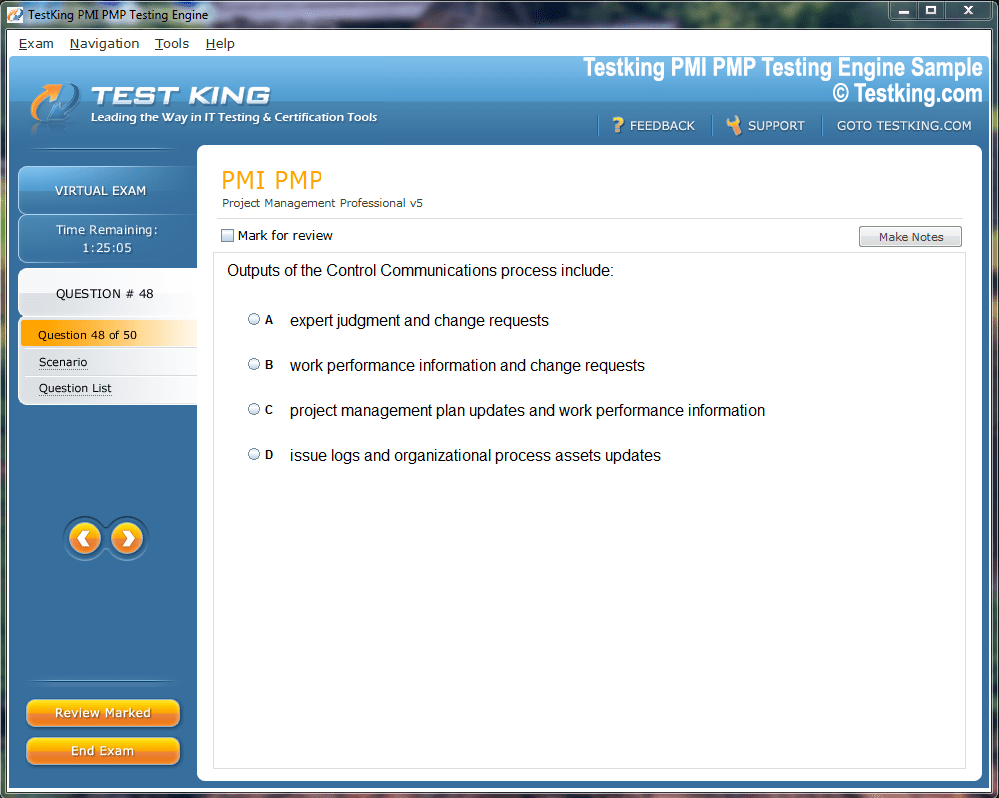
Product Screenshots

nop-1e =1
Preparing for Success in the DCS-TA PowerMax and All Flash Solutions Certification Program
The Dell Technologies PowerMax and VMAX All Flash Solutions Expert Certification, also known by its exam code DEE-1111, represents a prestigious credential for professionals specializing in enterprise storage systems. It verifies not just theoretical expertise but also the capability to manage, configure, and optimize PowerMax and VMAX All Flash arrays. These arrays are among the most sophisticated data storage technologies in existence, built to deliver extreme performance, security, and efficiency in demanding enterprise environments. Understanding this certification requires a grasp of its structure, its technical focus, and the comprehensive skills it expects from certified experts.
The PowerMax and VMAX systems form the cornerstone of modern data infrastructure for organizations that rely on speed, scalability, and reliability in data operations. The certification, therefore, serves as a testament to an individual’s mastery of these technologies. It goes beyond mere product familiarity, encompassing performance management, security design, replication solutions, and migration processes. This depth of knowledge ensures that certified professionals can handle complex real-world deployments, troubleshoot performance bottlenecks, and maintain high standards of data integrity.
Professionals seeking this credential often come from diverse backgrounds within the information technology field. Many have prior experience in storage administration, data center operations, or enterprise system architecture. The Dell Technologies Certified Expert – PowerMax and VMAX All Flash Solutions exam acts as a culminating step in this professional evolution, demonstrating readiness for advanced roles involving critical infrastructure.
Purpose and Scope of the Certification
The PowerMax and VMAX All Flash Solutions Expert certification was designed with a dual purpose: to validate deep technical proficiency and to align with the dynamic requirements of modern data storage ecosystems. As organizations move towards hybrid and multi-cloud architectures, the role of storage specialists has expanded dramatically. They must now ensure seamless data mobility, predictable performance, and fault-tolerant designs across distributed environments. The DEE-1111 certification equips professionals with the knowledge needed to meet these evolving demands.
The certification assesses a candidate’s ability to design, implement, and optimize PowerMax and VMAX All Flash systems with precision. It evaluates not only command-line and GUI-based configuration capabilities but also an understanding of underlying system principles, including cache algorithms, director functions, SRDF configurations, and advanced replication technologies. This wide-ranging scope ensures that certified experts are capable of delivering performance optimization, capacity management, and system recovery strategies with exceptional accuracy.
Beyond individual achievement, the certification also serves a strategic purpose for organizations. Businesses that employ certified experts benefit from smoother infrastructure deployments, improved data resilience, and more effective use of Dell Technologies tools. When systems are managed by individuals who possess in-depth expertise, the risks of downtime, data corruption, and inefficiency are significantly reduced. Consequently, the certification contributes to operational excellence and technological reliability within large-scale IT frameworks.
Exam Overview and Technical Emphasis
The DEE-1111 exam, formally titled Dell Technologies Certified Expert – PowerMax and VMAX All Flash Solutions, is designed to measure proficiency across a spectrum of topics central to high-performance storage management. The exam consists of 60 questions to be completed within 120 minutes, and candidates must achieve a score of at least 60% to pass. The exam fee is typically around 230 USD, and registration is facilitated through Pearson VUE testing centers.
The questions are structured to challenge both conceptual understanding and hands-on experience. Participants encounter scenario-based problems, multiple-choice questions, and configuration examples that simulate real-world conditions. The structure is meant to reflect practical job responsibilities—tasks such as diagnosing I/O latency issues, configuring SRDF/Metro solutions, performing non-disruptive migrations, and implementing Data at Rest Encryption policies.
The exam covers multiple specialized domains, each contributing to a well-rounded understanding of PowerMax and VMAX environments. These include performance workshops, security concepts, multi-site SRDF solutions, SRDF/Metro solutions, and non-disruptive migration strategies. The largest portion of the exam—approximately 39 percent—is dedicated to performance-related topics. This focus underlines the importance of understanding how PowerMax and VMAX arrays deliver and sustain optimal throughput under varying workloads.
Candidates are advised to gain extensive hands-on experience with both PowerMax and VMAX All Flash arrays prior to attempting the exam. Familiarity with Unisphere for PowerMax, Solutions Enabler, and SYMCLI is indispensable, as the exam tests both graphical and command-line proficiency. Furthermore, a deep comprehension of architectural elements—such as backend directors, cache operations, and frontend I/O paths—enhances a candidate’s ability to answer performance and troubleshooting questions accurately.
Importance of Mastery in the Storage Domain
Storage systems have long been the backbone of enterprise computing, but with the rise of artificial intelligence, analytics, and cloud-native applications, the expectations placed on these systems have multiplied. The PowerMax and VMAX platforms embody the pinnacle of enterprise storage, offering capabilities such as automated tiering, intelligent caching, and parallel I/O handling. Therefore, mastering these technologies equips professionals to handle the complexities of data management in high-volume environments.
The PowerMax array, with its end-to-end NVMe design, delivers ultralow latency and immense scalability, while VMAX All Flash solutions provide robust performance coupled with dependable redundancy. Understanding how to manage and fine-tune these systems is not merely a technical exercise—it is a crucial aspect of maintaining competitive advantage for organizations that rely heavily on data-driven decision-making.
The DEE-1111 certification ensures that candidates are proficient in evaluating workload patterns, designing replication architectures, and applying best practices for high availability. Certified experts can discern subtle variations in latency and throughput metrics, using that insight to refine performance and prevent degradation over time. They are also capable of balancing cost and efficiency by implementing configurations that align with business objectives and data protection requirements.
In many enterprise contexts, data is not merely stored—it is constantly moving, replicated, analyzed, and secured. This continuous activity introduces performance and reliability challenges that demand skilled management. The PowerMax and VMAX All Flash Solutions Expert certification validates an individual’s ability to anticipate these challenges and address them with precision. Such competence is invaluable in environments where every millisecond of performance can translate to tangible business outcomes.
The Role of Performance Analysis and Optimization
Performance analysis forms the foundation of the PowerMax and VMAX All Flash Solutions Expert certification. Understanding how to monitor, interpret, and optimize system performance is indispensable for maintaining healthy storage environments. Performance management encompasses several layers, from hardware-level monitoring to workload profiling and I/O characterization. Each layer reveals insights that contribute to overall system efficiency.
Experts use tools such as Unisphere for PowerMax and Solutions Enabler to gather real-time data on throughput, response time, and cache hit ratios. These tools also provide visual representations of performance trends, allowing administrators to identify anomalies quickly. Advanced users may leverage SYMCLI commands to extract detailed reports and conduct custom performance analysis. Candidates preparing for the DEE-1111 exam should be comfortable working across all these interfaces, as they represent key elements of the certification’s performance workshop topics.
An essential aspect of performance analysis is understanding the relationship between system workload and resource utilization. This includes applying principles such as Little’s Law, which links the number of outstanding I/O requests to response time and throughput. Recognizing how workload characteristics—such as sequential or random access patterns—affect performance enables experts to fine-tune configurations and allocate resources more effectively.
Performance optimization also involves identifying and mitigating potential bottlenecks. For instance, if a frontend director exhibits unusually high response times, it may indicate congestion in host communication channels. Similarly, cache director issues can cause latency spikes when data retrieval from flash storage becomes inconsistent. Certified experts are expected to diagnose these issues using metrics such as IOPS, latency distribution, and queue depth analysis. Mastery of these techniques ensures that storage systems continue to perform optimally, even under demanding workloads.
Security Foundations in PowerMax and VMAX Environments
Data security is another fundamental element of the PowerMax and VMAX All Flash Solutions Expert certification. With the growing prevalence of cyber threats and regulatory compliance requirements, securing stored data has become a non-negotiable aspect of system management. The certification emphasizes multiple dimensions of security, from access control to encryption and vulnerability management.
PowerMax and VMAX arrays employ a robust security model that protects against unauthorized configuration changes and data exposure. Administrators can define authentication methods and enforce role-based access control to ensure that only authorized personnel can execute sensitive operations. Solutions Enabler and Unisphere for PowerMax provide interfaces for managing user roles, access privileges, and authentication methods across different levels of system management.
Another critical component of storage security is Data at Rest Encryption (D@RE). This feature ensures that all data written to disk is automatically encrypted using hardware-based encryption keys. The process is transparent to the host and does not degrade system performance. Understanding how D@RE integrates with operational workflows and key management processes is a key part of the certification syllabus. Experts must be able to explain how encryption impacts system management, migration, and disaster recovery procedures.
Deep Dive into PowerMax and VMAX All Flash Architecture
The Dell Technologies PowerMax and VMAX All Flash platforms represent decades of innovation in enterprise storage architecture. Their design embodies the convergence of performance, reliability, and automation, tailored to meet the escalating demands of modern data ecosystems. These arrays are engineered to handle colossal data volumes and concurrent workloads with minimal latency. Understanding their architectural composition allows professionals to grasp the technical foundation that supports their speed, resilience, and efficiency.
The architecture of PowerMax arrays is fundamentally built on an end-to-end NVMe structure. This design removes legacy protocol overhead and creates a direct communication path between host servers and storage media. Each component, from front-end adapters to backend flash drives, is meticulously optimized for parallelism and low-latency performance. PowerMax arrays utilize advanced multi-core CPUs, shared memory subsystems, and adaptive caching algorithms to ensure that data is processed with the highest possible efficiency.
VMAX All Flash arrays, on the other hand, evolved from earlier generations of EMC Symmetrix systems, inheriting a legacy of dependability and data protection. While VMAX retains certain architectural roots, it has undergone substantial modernization. It now incorporates solid-state drives exclusively, enhancing performance and reducing failure rates. The director-based architecture of VMAX allows it to scale gracefully while maintaining consistent throughput, even under intense workloads. This modularity ensures that systems can grow organically without performance degradation.
Within both architectures, the director system plays a critical role. PowerMax and VMAX arrays are organized around a matrix of directors that manage I/O traffic between hosts, cache, and backend drives. Each director functions as a processor unit responsible for handling specific data pathways. This distributed approach ensures fault isolation and provides redundancy, allowing operations to continue seamlessly even if individual components fail. The director-based structure is the cornerstone of the arrays’ legendary reliability and operational continuity.
Core Components and Their Functional Significance
PowerMax and VMAX All Flash arrays are not monolithic systems but complex assemblies of interdependent components. Each element—from cache modules to front-end adapters—contributes uniquely to the overall performance and stability of the array. A clear understanding of these components is indispensable for professionals preparing for the DEE-1111 certification.
At the front end, the array interfaces with host systems through multiple protocols such as Fibre Channel, iSCSI, and NVMe over Fabrics. The front-end directors manage these connections, translating host requests into internal operations. They are responsible for handling I/O queues, managing multipath access, and maintaining communication integrity. Certified experts must be able to interpret metrics related to front-end performance, such as port utilization and IOPS distribution, to diagnose connectivity and throughput issues effectively.
The cache subsystem forms the heart of the array’s performance capability. PowerMax and VMAX arrays use high-speed memory modules to cache frequently accessed data, reducing the need for repeated backend reads. This mechanism dramatically lowers latency, allowing host requests to be fulfilled almost instantaneously. The arrays employ intelligent algorithms that predict future data requests, preloading cache with data likely to be accessed next. Understanding how cache allocation and destaging work is crucial for fine-tuning system performance and ensuring optimal cache hit ratios.
The backend directors are responsible for managing communication with flash drives. They coordinate read and write operations, distribute workloads evenly across drives, and handle error correction when necessary. Backend optimization ensures consistent response times and balanced drive utilization. In PowerMax arrays, backend communication is fully NVMe-based, enabling extremely high I/O concurrency. This architecture allows thousands of simultaneous operations without contention or performance loss.
Interconnecting these components is the internal fabric, which facilitates communication between all directors and subsystems. This high-speed, redundant interconnect ensures that even under peak load conditions, data flows remain stable and uninterrupted. The fabric’s reliability is integral to maintaining the deterministic performance required by enterprise workloads such as real-time analytics, high-frequency trading, and virtualized infrastructure.
Data Placement, Tiering, and Optimization Strategies
The efficiency of PowerMax and VMAX All Flash arrays extends beyond raw hardware performance; it is also a result of intelligent data placement and tiering strategies. These systems continuously analyze usage patterns and automatically distribute data across drives to balance load and maximize performance. This self-optimizing behavior is one of the reasons why PowerMax and VMAX arrays are considered ideal for mission-critical environments.
PowerMax employs a data layout methodology known as Dynamic Virtual Matrix (DVM). This framework dynamically maps logical volumes to physical storage locations, optimizing placement based on real-time workload conditions. By continuously adapting to shifting access patterns, PowerMax ensures that heavily used data resides in areas of the system capable of delivering the fastest response times. The DVM also supports seamless expansion, allowing new drives or modules to be integrated without manual redistribution of data.
VMAX All Flash arrays use a similarly intelligent mechanism through Fully Automated Storage Tiering (FAST). Although all storage within these arrays is solid-state, FAST technology can still prioritize certain datasets based on access frequency and performance demand. This ensures that the most critical workloads receive top-tier resources while maintaining overall efficiency. The underlying principles of FAST remain central to the array’s design, offering automated data placement that minimizes administrative intervention.
Both PowerMax and VMAX systems incorporate inline data reduction and compression technologies. These features enhance storage efficiency without compromising performance. The arrays can identify redundant data patterns and compress them on the fly, freeing capacity and optimizing flash endurance. This process occurs transparently, allowing users to benefit from higher effective capacity while maintaining predictable performance. For certification candidates, understanding how these processes interact with workload types and caching algorithms is vital.
The Role of Cache in Sustaining High Performance
Cache memory plays an indispensable role in the performance architecture of PowerMax and VMAX arrays. It acts as a high-speed intermediary between hosts and flash storage, absorbing I/O bursts and smoothing response times. Without this layer of intelligent caching, even the fastest flash drives would struggle to maintain low-latency responses under unpredictable workloads.
In PowerMax systems, cache management is fully autonomous. The system continuously evaluates data access patterns to determine which blocks should be kept in cache. It uses advanced prefetching algorithms that anticipate future read requests based on recent access sequences. When a host issues a read request, the array first checks the cache to see if the data is already available. If it is, the request is fulfilled immediately, resulting in a cache hit. If not, the data is retrieved from flash and stored in cache for subsequent access.
Write operations follow a similar optimization strategy. When data is written to the array, it is first stored in cache and acknowledged to the host. The array later destages this data to the backend drives in a controlled manner. This approach allows the system to absorb heavy bursts of write activity without overloading the backend. Properly managed, this mechanism provides exceptional throughput while maintaining data integrity.
VMAX All Flash arrays use a similar caching model but with subtle differences in algorithmic behavior. They employ write coalescing, which combines multiple small write requests into larger, sequential operations. This minimizes write amplification and extends flash drive lifespan. The cache algorithms also ensure that data consistency is maintained across directors in clustered configurations. Understanding these caching techniques is critical for experts who manage performance tuning and troubleshooting in enterprise storage environments.
Fault Tolerance and Redundancy Mechanisms
Resilience is a defining feature of PowerMax and VMAX arrays. Both architectures are engineered to deliver uninterrupted operation even in the presence of component failures. This fault-tolerant design is achieved through multiple layers of redundancy, ensuring that no single failure can compromise data availability or system stability.
The arrays use redundant directors, power supplies, and interconnects. Each critical subsystem has at least one counterpart ready to assume control in case of malfunction. This redundancy extends to the cache memory, where mirrored copies of active data are maintained across different directors. If one director fails, its mirror ensures that operations continue seamlessly. This design guarantees zero data loss in transit and near-instantaneous recovery from hardware faults.
PowerMax arrays introduce an advanced form of redundancy known as Dynamic End-to-End Data Protection. This mechanism continuously verifies data integrity across the entire I/O path, from host to flash media. It employs checksums and error correction codes that detect and correct bit-level errors automatically. These features work silently in the background, maintaining uncompromised data accuracy throughout the array’s lifetime.
VMAX All Flash arrays also employ sophisticated error correction and redundancy schemes. Data is distributed across multiple drives using RAID protection, ensuring that even in the event of drive failure, no information is lost. The arrays automatically rebuild data onto spare drives, maintaining consistent performance during recovery operations. Understanding these redundancy mechanisms and how they interact with SRDF replication solutions forms a significant portion of the DEE-1111 certification content.
Automation and Intelligent System Management
Automation is central to the operational philosophy of PowerMax and VMAX systems. Both platforms feature extensive management automation designed to minimize manual intervention and human error. These capabilities are particularly valuable in large-scale environments where efficiency and consistency are paramount.
PowerMax incorporates an intelligent management engine that automates provisioning, performance optimization, and data mobility. Through integration with Unisphere for PowerMax, administrators can manage entire arrays with intuitive interfaces that simplify complex tasks. The system’s embedded machine learning algorithms analyze performance data continuously, making real-time adjustments to caching, I/O scheduling, and data placement policies. This self-optimizing behavior ensures sustained performance with minimal administrative overhead.
VMAX All Flash arrays offer similar automation capabilities, albeit with a more modular approach. They rely on pre-defined performance policies and workload templates that administrators can apply to different applications. These templates allow for predictable performance outcomes and streamlined configuration processes. Experts managing these systems must understand how to balance automated behavior with manual tuning to achieve the desired performance profile.
The automation framework also extends to integration with external management ecosystems. PowerMax and VMAX arrays can communicate with orchestration platforms and cloud management tools, enabling unified oversight of hybrid infrastructure. APIs and command-line interfaces support extensive customization, allowing advanced users to script automated workflows for provisioning, reporting, and monitoring. This level of integration underscores the importance of knowing both GUI and CLI management techniques—a skillset directly assessed in the certification exam.
Advanced Analytics and Performance Monitoring
Continuous monitoring and analytics are crucial for maintaining system health in PowerMax and VMAX arrays. The ability to interpret performance data accurately enables experts to preempt issues and sustain operational excellence. Both platforms provide robust monitoring tools, giving administrators detailed visibility into every layer of the system.
Unisphere for PowerMax serves as a centralized management and analytics platform, offering dashboards that display real-time performance metrics. It provides insights into throughput, latency, IOPS distribution, and cache utilization. Administrators can generate performance reports and set thresholds for alerts to detect anomalies. Solutions Enabler, a command-line suite, complements Unisphere by providing granular control and data extraction capabilities. Mastery of these tools is crucial for certification success, as they represent key interfaces covered in the DEE-1111 exam objectives.
VMAX All Flash systems also leverage Unisphere for VMAX, providing similar monitoring functionalities with tailored interfaces. Both versions allow administrators to load performance data into offline viewers for deeper analysis. This feature enables detailed investigations into performance trends, capacity usage, and workload balancing. Understanding how to correlate these metrics with real-world behavior distinguishes a proficient storage administrator from an exceptional one.
Performance analysis extends beyond simple observation. It involves correlating system metrics with application performance indicators. Experts must know how to interpret metrics in context—distinguishing between transient spikes and persistent inefficiencies. This analytical discipline ensures that corrective actions are based on evidence rather than assumption. Through advanced monitoring and analytics, PowerMax and VMAX arrays achieve not just operational stability but predictive performance optimization.
Capacity Planning and Resource Allocation
Proper capacity planning is integral to maintaining long-term performance and efficiency in PowerMax and VMAX environments. As storage requirements evolve, administrators must anticipate growth and allocate resources proactively. Capacity management in these arrays is not limited to physical space but also encompasses logical volumes, I/O bandwidth, and cache utilization.
The certification emphasizes the ability to analyze system utilization and predict when expansion will be necessary. PowerMax and VMAX arrays provide tools for forecasting storage trends, allowing administrators to plan additions before reaching capacity limits. Dynamic provisioning techniques enable the creation of virtual volumes that can grow or shrink based on usage patterns. This elasticity ensures optimal resource utilization without the overhead of manual reconfiguration.
In addition to capacity forecasting, resource allocation must align with workload priorities. Critical applications require low-latency access and higher bandwidth, while secondary workloads may tolerate slower response times. Administrators must configure service levels and allocate resources accordingly. Understanding these strategies is vital for maintaining system equilibrium and preventing performance degradation during peak demand periods.
Effective capacity planning also contributes to cost efficiency. By leveraging data reduction technologies and tiering strategies, organizations can minimize unnecessary expansion. Certified experts play a vital role in balancing performance objectives with financial constraints, ensuring sustainable storage management practices over time.
Exploring the PowerMax and VMAX All Flash Performance Workshop
The PowerMax and VMAX All Flash Performance Workshop forms one of the most critical segments within the Dell Technologies PowerMax and VMAX All Flash Solutions Expert certification. It emphasizes the intricate interplay between architecture, performance, and data operations. Through this study area, professionals develop the capability to analyze system behavior, interpret performance metrics, and apply optimization strategies to sustain maximum efficiency. These skills are fundamental for maintaining enterprise environments that depend on fast, consistent data delivery.
The performance workshop addresses how the PowerMax and VMAX systems function at both macro and micro levels. It explores the internal mechanisms that drive their responsiveness and explains how hardware and software layers collaborate to achieve exceptional throughput. The certification expects candidates to not only memorize configurations but to internalize the reasoning behind performance patterns. Understanding why certain workloads behave differently under specific configurations is a crucial part of mastering these technologies.
Performance Analysis Methodology
A structured methodology is essential when evaluating performance in PowerMax and VMAX environments. Random testing or reactive troubleshooting rarely produces meaningful insights. Instead, experts adopt a disciplined approach based on observation, measurement, and correlation. The first step involves establishing a baseline—a performance profile that represents normal system behavior under typical workloads. This baseline serves as a reference point against which anomalies can be measured.
Once the baseline is established, administrators use tools such as Unisphere for PowerMax, Unisphere for VMAX, and Solutions Enabler to gather performance data. These tools provide extensive telemetry covering parameters such as read and write latency, cache hit ratios, IOPS distribution, and front-end port utilization. The next phase involves identifying deviations from expected behavior. For example, a sudden drop in cache hit ratio may indicate that the cache is overloaded or that data access patterns have shifted unexpectedly.
Correlation is the final and most complex stage of performance analysis. It requires interpreting multiple metrics simultaneously to uncover root causes. High backend response times combined with normal frontend metrics might suggest flash drive contention. Conversely, elevated frontend latency with normal backend performance could point to congestion in host communication or zoning misconfigurations. Mastering this analytical thinking enables professionals to resolve performance issues efficiently and accurately.
Workload Characterization and Little’s Law
Workload characterization is a cornerstone of performance management. Every application imposes unique I/O patterns, and understanding these patterns allows administrators to optimize configurations accordingly. In PowerMax and VMAX systems, workloads are often classified as random or sequential, read-intensive or write-intensive, and transactional or analytical. Recognizing these distinctions helps predict how workloads will interact with cache, directors, and backend drives.
A key concept in workload analysis is Little’s Law, a mathematical principle that relates throughput, latency, and concurrency. The formula, which states that the average number of outstanding I/O operations equals the product of throughput and response time, provides valuable insight into performance behavior. By applying this principle, experts can estimate how changes in latency or queue depth will affect system performance. Understanding and applying Little’s Law is a requirement within the performance workshop domain of the certification.
For instance, when throughput remains constant but latency increases, the number of concurrent operations must rise to maintain equilibrium. This principle is particularly relevant in flash-based storage, where parallelism is a defining characteristic. By correlating Little’s Law with observed metrics, administrators can determine whether a system is under- or over-utilized. This analytical approach replaces guesswork with quantitative reasoning, leading to precise performance optimization.
Performance Administration and Monitoring
Performance administration extends beyond reactive tuning; it is an ongoing discipline that ensures systems continue to operate at peak efficiency. In PowerMax and VMAX environments, administrators rely on monitoring frameworks that provide both real-time and historical visibility into system behavior. Continuous observation allows anomalies to be detected early and mitigated before they affect service levels.
Unisphere for PowerMax provides comprehensive dashboards that display critical metrics such as throughput, IOPS, and response time. Administrators can create performance thresholds and generate alerts when metrics exceed acceptable limits. The platform also supports report automation, allowing recurring performance summaries to be sent to stakeholders. This helps organizations maintain transparency and accountability in system operations.
Solutions Enabler complements graphical monitoring with command-line flexibility. Through SYMCLI commands, administrators can extract granular data, perform trend analysis, and execute corrective actions directly. For example, they can monitor the performance of specific devices or directors, analyze queue depths, or investigate I/O distribution across front-end ports. This level of control is essential for diagnosing complex issues that may not be immediately visible through graphical interfaces.
Another critical component of performance administration is data visualization. Offline performance viewers enable deeper analysis of exported telemetry data. By examining historical trends, administrators can identify recurring bottlenecks, seasonal workload variations, or gradual performance degradation. These insights support proactive capacity planning and help prevent issues before they escalate into outages.
Analyzing Frontend Director Performance
Frontend directors are responsible for managing host connectivity and ensuring smooth communication between applications and the storage array. Their performance directly influences system responsiveness, especially in environments with high transactional volumes. Analyzing frontend performance involves monitoring metrics such as IOPS per port, queue depth, response time, and port utilization.
When frontend directors become saturated, hosts may experience delayed responses or timeouts. Identifying the cause of such saturation requires examining both array and host configurations. Improper multipathing, misaligned zoning, or uneven workload distribution can all contribute to performance bottlenecks. Experts must be skilled in interpreting these scenarios and applying corrective measures such as load balancing or path optimization.
In PowerMax arrays, frontend directors benefit from NVMe over Fabrics capabilities that further reduce latency. Understanding how these protocols interact with traditional Fibre Channel configurations is important for maintaining performance consistency. Similarly, in VMAX systems, frontend directors rely on well-defined I/O queues to ensure fairness among hosts. Proper queue management prevents a single host from monopolizing resources and ensures equitable performance across the environment.
Cache and Backend Director Performance Analysis
Backend performance analysis focuses on how efficiently the array interacts with flash drives. This layer is critical for maintaining sustained throughput and predictable latency. Backend directors orchestrate read and write operations, distribute workloads evenly, and handle error correction. Performance degradation in this layer often manifests as increased response times, even when frontend metrics appear normal.
To analyze backend performance, administrators monitor drive response times, queue depths, and data transfer rates. High backend latency may indicate flash wear, insufficient parallelism, or cache destaging congestion. PowerMax arrays, with their end-to-end NVMe design, typically display uniform backend performance across drives. However, uneven workload distribution can still occur, particularly when large sequential writes coincide with read-intensive operations. Professionals must be able to identify these situations and adjust configurations accordingly.
Cache director analysis complements backend evaluation. Since cache acts as an intermediary between hosts and flash drives, its performance directly affects backend efficiency. A sudden drop in cache hit ratio or an increase in write pending counts can signal imbalances that require intervention. Adjusting cache partitioning or modifying workload distribution policies can restore equilibrium. The ability to read these metrics accurately is a hallmark of a skilled PowerMax and VMAX administrator.
Understanding PowerMax and VMAX All Flash Security Concepts
Security within PowerMax and VMAX All Flash environments represents an indispensable facet of the Dell Technologies PowerMax and VMAX All Flash Solutions Expert certification. As enterprises increasingly handle sensitive, mission-critical data, the responsibility of securing storage infrastructure intensifies. The PowerMax and VMAX systems are designed to ensure that data remains protected from unauthorized access, tampering, or exposure throughout its lifecycle. These architectures combine encryption, access control, and authentication mechanisms to deliver comprehensive protection without compromising performance.
In modern organizations, threats can originate from both internal and external sources. Misconfigurations, malicious actors, or unmonitored access points can all lead to vulnerabilities. The security framework embedded within PowerMax and VMAX arrays addresses these risks through layered defenses. This includes measures such as Data at Rest Encryption, role-based permissions, and secure communication channels. Certified experts are required to demonstrate proficiency in deploying, managing, and auditing these security components to ensure the integrity of stored data.
Security is not an isolated concern; it integrates seamlessly with other administrative and operational tasks. From initial provisioning to ongoing maintenance, every activity must consider the potential security implications. A well-configured PowerMax or VMAX environment maintains equilibrium between accessibility and protection. Overly restrictive policies may hinder productivity, while lax configurations can expose the organization to unnecessary risk. Balancing these elements requires insight, precision, and adherence to established best practices.
Addressing Exposure to Data Security Vulnerabilities
Storage arrays, by virtue of their central role in managing enterprise data, can become prime targets for exploitation if not properly secured. Exposure to vulnerabilities often arises from outdated firmware, inadequate access control, or unencrypted data paths. The PowerMax and VMAX All Flash arrays mitigate these risks through advanced design principles that embed security into every operational layer. Rather than treating protection as an add-on, these systems integrate it as a core function.
One of the foundational security mechanisms within these arrays is isolation. By segregating management interfaces, replication networks, and host connections, administrators minimize the potential attack surface. Network segmentation ensures that even if one layer is compromised, others remain insulated. Similarly, authentication mechanisms are enforced at multiple points to prevent unauthorized entry. Every access request undergoes verification, ensuring that only authenticated users can execute administrative or operational tasks.
Regular patching and firmware updates play an equally crucial role in vulnerability management. Dell Technologies continuously releases updates to address emerging threats and improve resilience. Experts must remain vigilant, applying these updates promptly to maintain system integrity. Additionally, implementing security audits and vulnerability scans provides ongoing assurance that the environment remains fortified against known and unknown exploits. A comprehensive security posture depends on continuous vigilance and methodical oversight.
Preventing Unauthorized Change Control Operations
Change management within enterprise storage environments is a delicate process. Unauthorized modifications, whether intentional or accidental, can lead to data loss, service interruptions, or compliance violations. PowerMax and VMAX arrays incorporate stringent control mechanisms to prevent such occurrences. These mechanisms monitor, validate, and log every administrative action performed on the system.
Access to configuration changes is governed by privilege hierarchies. Only users with appropriate authorization can alter array parameters, modify device mappings, or initiate replication activities. This role-based structure enforces accountability and ensures that administrative privileges are granted on a need-to-know basis. Each action is recorded in immutable logs, enabling forensic analysis and traceability. If unauthorized attempts occur, the system can trigger alerts and prevent execution until verification is complete.
Change control extends beyond access management. Workflow validation ensures that proposed modifications align with organizational policies. For example, when altering SRDF configurations or enabling new encryption settings, the system verifies compatibility and dependencies. This reduces the risk of operational errors that might compromise stability or security. By integrating validation and audit mechanisms, PowerMax and VMAX arrays uphold both reliability and compliance.
Securing Data Using Data at Rest Encryption (D@RE)
Data at Rest Encryption, often abbreviated as D@RE, represents one of the most pivotal security features in PowerMax and VMAX architectures. It ensures that data stored on physical media remains inaccessible even if drives are removed or compromised. This protection applies transparently to all information written to or retrieved from the array, maintaining confidentiality without impacting performance.
D@RE operates at the hardware level, utilizing self-encrypting drives that handle cryptographic operations directly within the storage device. This design eliminates overhead on the main processing units and preserves the efficiency of I/O operations. Encryption keys are managed through a centralized key management framework, typically integrated with the array’s management software. This system allows secure key rotation, backup, and recovery procedures.
The encryption process does not alter how users or applications interact with the array. From the host’s perspective, operations remain identical, ensuring seamless compatibility. However, administrators must ensure proper configuration of key management servers to avoid potential lockouts or data inaccessibility. Key rotation policies should be established according to industry standards, balancing security with operational convenience.
Understanding how encryption affects system management is crucial for experts pursuing the certification. While D@RE functions autonomously, it interacts with other components such as replication and snapshot technologies. When encrypted data is replicated to another system, key synchronization must be maintained. Similarly, snapshot data must preserve its encrypted state throughout its lifecycle. Awareness of these interactions ensures that encryption remains consistent and effective across all storage operations.
Managing User Authentication and Role-Based Permissions
User authentication forms the cornerstone of secure system management. PowerMax and VMAX arrays employ robust mechanisms to verify the identity of individuals accessing the environment. Authentication can be performed locally within the array or through external identity management systems such as LDAP or Active Directory. Integrating with enterprise authentication services streamlines user management and enforces organizational policies.
Once authenticated, users operate within predefined roles that determine their privileges. Role-based permissions ensure that each individual can only perform actions relevant to their responsibilities. For example, a monitoring role may view performance data but lack the ability to modify configurations. Conversely, an administrative role might have broader access but still operate within policy constraints. This segmentation of authority minimizes the potential impact of errors or malicious behavior.
Unisphere for PowerMax and Solutions Enabler both support granular permission settings. Administrators can create custom roles, defining specific capabilities such as volume provisioning, replication management, or performance monitoring. Regular audits of role assignments help maintain alignment with staff responsibilities. When personnel changes occur, access should be promptly updated or revoked to prevent lingering privileges. Such vigilance preserves the integrity of the environment and adheres to compliance requirements.
Authentication also encompasses secure session management. PowerMax and VMAX interfaces enforce session timeouts and encryption of communication channels. Secure protocols such as HTTPS and SSH are standard, preventing eavesdropping or interception. Two-factor authentication can further enhance protection by requiring additional verification before granting access. Through these layered mechanisms, the arrays establish a controlled and verifiable access environment.
Implementing Host-Based Access Controls
Beyond user authentication, host-based access control governs how systems and applications interact with the storage array. In PowerMax and VMAX environments, this involves defining which hosts can access specific volumes, and under what conditions. The objective is to ensure that data paths are tightly regulated, preventing accidental or unauthorized cross-access between workloads.
Access control begins with zoning at the network layer. Fibre Channel and NVMe fabrics are configured to restrict which initiators can communicate with specific target ports. Once connectivity is established, masking views within the array define which logical units are visible to each host. This two-tier structure ensures that access control remains consistent across both network and array layers.
Role-based host access can further refine control. For example, certain hosts may have read-only access to a dataset, while others may perform full read-write operations. Such distinctions are particularly valuable in environments supporting testing, analytics, or data replication. Administrators can modify these permissions dynamically as requirements evolve, without disrupting ongoing operations.
To ensure continuous protection, PowerMax and VMAX arrays support automated validation of masking configurations. If inconsistencies or unauthorized changes occur, alerts notify administrators immediately. Combined with comprehensive logging, this capability provides an audit trail for compliance verification. In high-security environments, this level of scrutiny is indispensable for maintaining trust and accountability.
Understanding PowerMax and VMAX All Flash Multi-Site SRDF Solutions
The PowerMax and VMAX All Flash Multi-Site SRDF Solutions segment of the certification delves deeply into replication technologies that underpin resilience and data availability across geographically distributed environments. Symmetrix Remote Data Facility, commonly referred to as SRDF, is an advanced replication suite integrated into PowerMax and VMAX arrays. It enables organizations to replicate data between sites in synchronous, asynchronous, and hybrid modes, ensuring business continuity even in the event of catastrophic system failures.
This domain of the Dell Technologies PowerMax and VMAX All Flash Solutions Expert certification emphasizes understanding replication design, configuration, and performance optimization across complex infrastructures. Certified professionals are expected to know how to configure and manage dual personality RDF devices, Concurrent SRDF, Cascaded SRDF, and R22 devices. They must also comprehend how SRDF technologies ensure data consistency through SRDF/Star and SRDF/A multi-session frameworks. Furthermore, they are responsible for managing operations under both normal and fault conditions, guaranteeing uninterrupted functionality.
Core Principles of SRDF Architecture
SRDF architecture operates on the foundation of link-based communication between storage arrays. Each participating array acts as either a source (R1) or a target (R2), depending on the direction of replication. In synchronous configurations, the source and target maintain identical data at all times, while in asynchronous setups, updates are transmitted at defined intervals to reduce latency impacts. The choice between these modes depends largely on distance, bandwidth, and recovery point objectives.
The underlying communication channel—known as the SRDF link—can utilize Fibre Channel or IP connections, depending on infrastructure requirements. These links are optimized for reliability, featuring built-in mechanisms for retransmission and congestion management. PowerMax and VMAX systems use advanced queueing and compression techniques to minimize the replication footprint while maximizing throughput. Certified experts must understand how these mechanisms interact with network latency and bandwidth availability.
SRDF’s architecture is not static; it supports flexible topologies that accommodate evolving enterprise landscapes. Whether deployed across two data centers or within a multi-tiered configuration spanning several regions, SRDF maintains consistency and coordination. Through features like concurrent replication and cascading, administrators can extend protection without introducing excessive complexity. The key lies in comprehending how these modes complement each other to achieve high availability and disaster recovery.
Dual Personality RDF Devices and Configuration
Dual personality RDF devices are a defining component of SRDF’s operational flexibility. These devices possess the capability to serve as both R1 and R2 simultaneously, depending on replication direction. This duality allows the same physical device to participate in multiple replication relationships, enabling advanced topologies such as Concurrent SRDF and Cascaded SRDF. Understanding how to configure and manage these devices is essential for achieving optimal replication efficiency.
In Concurrent SRDF, a single source volume replicates to two or more target volumes located in different arrays. This configuration ensures that multiple sites maintain synchronized copies of the same dataset. It is particularly valuable for enterprises that require geographically distributed redundancy, allowing failover to any site as needed. The configuration process involves defining group relationships, assigning RDF devices, and verifying link integrity across all participating arrays.
Cascaded SRDF, on the other hand, introduces a sequential replication model. Data is first mirrored from the source to an intermediate array and then further replicated to a tertiary array. This model suits organizations seeking layered protection, such as maintaining a local recovery site alongside a remote disaster recovery site. Certified professionals must ensure that synchronization between these layers remains consistent, as delays or interruptions can propagate through the chain if not properly managed.
R22 devices—another critical component—represent paired volumes that act as both source and target within cascaded configurations. These devices handle the dual responsibility of receiving replication data from one array while simultaneously forwarding it to another. The correct setup of R22 devices requires an understanding of both replication dependencies and system resource allocation to prevent bottlenecks. Configuring dual personality devices demands precision, as any inconsistency in synchronization can undermine data integrity across the entire replication topology.
SRDF Technologies Supporting Data Consistency
Data consistency lies at the heart of SRDF’s operational philosophy. In enterprise environments, even minor discrepancies between replicated datasets can have severe consequences. SRDF mitigates this risk through multiple technologies that preserve synchronization and ensure transaction-level consistency across all participating arrays.
SRDF/Star and SRDF/A multi-session consistency mechanisms play central roles in this process. SRDF/Star extends replication beyond two sites, creating a triangular or star topology. This structure provides redundancy that allows continuous operation even if one site becomes unavailable. In SRDF/Star, one site typically acts as the primary data center, while the others serve as remote replicas. Should a failure occur, control can seamlessly transition to an alternate site with minimal intervention.
SRDF/A, or asynchronous replication, maintains consistency through controlled data cycles known as delta sets. Each delta set represents a collection of write operations transmitted together. The multi-session consistency feature ensures that dependent write operations are grouped and replicated atomically across sessions. This guarantees that all related data remains synchronized, even when replication spans multiple arrays. Experts must understand the timing and coordination involved in delta set processing to prevent data gaps or inconsistencies.
Another advanced capability involves consistency groups, which logically bind multiple devices into a single replication entity. This ensures that interdependent volumes—such as those supporting database logs and tablespaces—are replicated coherently. If one device encounters a replication delay, all others within the group pause accordingly, maintaining systemic integrity. This meticulous synchronization underpins the reliability of enterprise-grade replication in PowerMax and VMAX arrays.
Failure Scenarios and SRDF/Star Management
Managing SRDF/Star environments under both normal and fault conditions requires a disciplined approach grounded in situational awareness and procedural clarity. Failure scenarios can include link interruptions, array malfunctions, or complete site outages. The objective during such events is to preserve data integrity and resume operations as quickly as possible without compromising consistency.
When an SRDF/Star link fails, replication transitions to a degraded state while maintaining existing synchronization across remaining links. Administrators must evaluate whether the affected link can be restored or if control should shift to an alternate site. PowerMax and VMAX arrays support automated link failover mechanisms, but manual oversight is often necessary for complex multi-site topologies. Restoring a disrupted link involves re-establishing communication and performing incremental synchronization to update any missed changes.
In the case of a primary site failure, SRDF/Star enables rapid promotion of a secondary site to assume primary responsibilities. This process, known as site failover, ensures continuity of operations. Experts must be adept at executing this transition while maintaining data consistency. Once the original site is restored, a reverse synchronization—often termed failback—realigns the datasets. This operation requires careful sequencing to avoid overwriting valid data or introducing discrepancies.
Understanding the timing, dependency, and coordination of these transitions is vital for certification. The ability to manage complex failover and failback procedures under pressure distinguishes seasoned professionals from novices. Through a combination of automation, monitoring, and procedural discipline, administrators maintain the seamless continuity that modern enterprises demand.
Managing Normal Operations in Multi-Site SRDF Environments
Even outside failure conditions, managing multi-site SRDF environments demands precision and constant monitoring. Replication traffic consumes significant bandwidth, and unoptimized configurations can strain network resources. Administrators must regularly assess replication performance to ensure that synchronization remains efficient and non-disruptive to production workloads.
Unisphere for PowerMax provides visual dashboards for tracking SRDF link status, data transfer rates, and synchronization progress. Metrics such as average transfer latency, queue length, and throughput trends offer valuable insights into operational health. Solutions Enabler complements these visual tools with command-line capabilities for advanced diagnostics and batch operations. Certified experts should be comfortable navigating both interfaces to manage SRDF with confidence.
Load balancing is another key consideration. Distributing replication traffic evenly across available links prevents congestion and reduces latency. Modern PowerMax systems support dynamic path management that automatically reroutes traffic in case of link saturation or failure. Experts should understand how to configure these parameters to maintain optimal data flow. Periodic testing of failover scenarios further ensures readiness for real-world disruptions.
Storage administrators must also account for inter-site coordination. Changes in one site’s configuration, such as volume expansion or reallocation, must be mirrored appropriately in the target site. Consistent naming conventions, replication group structures, and device labeling simplify this process. Through meticulous configuration management, enterprises can operate multi-site SRDF environments with minimal manual intervention while preserving clarity and control.
The Importance of Network Infrastructure in SRDF Replication
Replication success depends not only on storage arrays but also on the network infrastructure that connects them. The performance, reliability, and scalability of SRDF links are heavily influenced by network topology and quality. As replication distances increase, latency becomes a critical factor. Synchronous replication is typically limited to shorter distances, where round-trip delays remain minimal. Asynchronous modes are better suited for long-distance replication, where data transfer can occur without immediate acknowledgment.
Bandwidth availability dictates how quickly updates can propagate between sites. Insufficient bandwidth can result in replication lag, leading to potential data exposure during unexpected failures. Administrators must evaluate network capacity relative to workload intensity, considering peak usage patterns and transactional volumes. Compression and deduplication techniques within SRDF can mitigate bandwidth limitations by reducing data transmission size.
Network reliability is equally vital. Redundant paths and failover mechanisms ensure continuous communication even if one link becomes unavailable. PowerMax and VMAX arrays integrate seamlessly with modern network infrastructures, supporting multipath I/O and advanced routing protocols. Experts must design network layouts that align with replication objectives, ensuring both performance and fault tolerance. Proper documentation and continuous testing of network configurations reinforce operational stability.
Monitoring and Troubleshooting SRDF Performance
Despite robust design, replication environments occasionally experience performance anomalies. Troubleshooting SRDF performance involves methodical investigation across both storage and network layers. The first step typically involves verifying link integrity. Administrators should confirm that communication paths are stable, properly zoned, and free of errors. Metrics such as retransmission rates and link utilization help identify potential bottlenecks.
If network health appears normal, focus shifts to array-level metrics. High write pending counts may indicate that replication cannot keep pace with incoming I/O, potentially due to bandwidth saturation or target array congestion. In asynchronous setups, large delta set backlogs may signal delayed transmissions. Solutions Enabler provides commands to monitor delta set sizes and synchronization progress, allowing targeted corrective action.
When diagnosing SRDF performance, understanding workload characteristics is crucial. Bursty or uneven write patterns can create temporary congestion. Implementing write throttling or scheduling replication during low-activity periods can stabilize performance. PowerMax and VMAX systems also support adaptive replication controls that dynamically adjust transfer rates based on system load. Experts must know how to enable and tune these mechanisms to maintain consistent replication without impacting production.
Understanding Non-Disruptive Migration (NDM) in PowerMax and VMAX All Flash Systems
Non-Disruptive Migration, or NDM, is one of the most advanced capabilities in the PowerMax and VMAX family, designed to facilitate seamless data movement between arrays without interrupting ongoing operations. Within the Dell Technologies PowerMax and VMAX All Flash Solutions Expert certification, this topic represents the culmination of multiple competencies — blending performance, availability, and resilience. The goal of NDM is to enable enterprises to upgrade infrastructure, rebalance workloads, or transition between platforms without imposing downtime or risking data integrity.
The PowerMax and VMAX All Flash arrays are engineered for high availability, and NDM extends that philosophy into migration processes. Traditional data migration often involves prolonged cutovers, application downtime, and operational risk. NDM eliminates these obstacles by virtualizing connections between source and target arrays, allowing hosts to continue accessing data throughout the migration. This technology is vital for organizations that demand constant uptime, particularly in industries where downtime translates directly to financial loss or service interruption.
For certification candidates, understanding the full lifecycle of an NDM operation — from planning to completion — is essential. It requires knowledge of architecture, prerequisites, operational steps, and validation processes. Beyond the mechanics, candidates must appreciate the broader strategic value: NDM is not just a migration tool; it is a continuity enabler that allows enterprises to evolve without disruption.
Preparing for Migration: Planning and Prerequisites
Preparation is the foundation of a successful migration. Before initiating an NDM session, administrators must ensure that both source and target arrays meet all prerequisites and compatibility requirements. Planning begins with a thorough assessment of existing configurations, including volume mappings, host connectivity, and replication dependencies. PowerMax and VMAX systems provide built-in utilities that assist with configuration discovery and validation.
One of the key preparatory tasks involves evaluating I/O patterns. Migration performance depends heavily on workload intensity, as continuous I/O can influence synchronization times. By analyzing read/write ratios, queue depths, and throughput patterns, administrators can schedule migrations during periods of minimal activity. Proper scheduling minimizes the risk of performance degradation during the process.
Another critical consideration involves network connectivity. Since NDM relies on replication channels between arrays, ensuring sufficient bandwidth and low latency is paramount. Network links must be tested for stability and configured for multipathing to prevent single points of failure. Security configurations, such as zoning and authentication, must be verified in advance to prevent access issues during migration.
Configuration consistency between arrays is equally vital. Device sizes, RAID configurations, and protection policies must align to avoid compatibility conflicts. Administrators should also confirm that both arrays are running supported microcode versions and that the appropriate licenses are activated. Once these prerequisites are met, a detailed migration plan should be documented, outlining each stage, fallback procedure, and validation checkpoint. Meticulous preparation ensures that migration proceeds smoothly and predictably.
Metro-Based Non-Disruptive Migration Using Unisphere for PowerMax
Metro-based Non-Disruptive Migration represents the most seamless and resilient approach to transitioning workloads between arrays. In this mode, the source and target arrays operate as a single logical entity through Metro connectivity. Unisphere for PowerMax simplifies this process through an intuitive interface that guides administrators step by step, minimizing manual configuration.
The first stage involves creating a migration session within Unisphere. Administrators select the source and target arrays, define the devices to be migrated, and configure synchronization options. Once initiated, the system establishes a mirrored relationship between the two arrays. During this phase, both environments remain active and continuously synchronized, ensuring that all host I/O operations are reflected in real time.
As data synchronization progresses, administrators monitor key metrics such as replication throughput, synchronization percentage, and I/O latency. Unisphere presents these metrics in graphical form, allowing quick assessment of migration health. If discrepancies occur, the system provides alerts with contextual recommendations. This real-time monitoring enables proactive management and ensures that performance remains stable throughout the migration.
When synchronization reaches completion, the final cutover phase is initiated. This step transitions host access exclusively to the target array while maintaining data consistency. The process is executed without interrupting host operations, as both arrays have maintained mirrored states throughout. After cutover, the source array is gracefully detached, completing the migration. Administrators can then decommission or repurpose the source system without impacting application availability.
Unisphere for PowerMax also supports rollback procedures. If validation tests reveal inconsistencies, administrators can revert to the source system without data loss. This safety mechanism reinforces operational confidence, allowing organizations to perform complex migrations with minimal risk. Mastery of Metro-based NDM using Unisphere represents a key competency for professionals seeking certification.
Non-Disruptive Migration Using SYMCLI
While Unisphere provides a graphical interface for managing migrations, the Solutions Enabler Command Line Interface (SYMCLI) offers granular control for administrators who prefer scriptable or automated operations. Using SYMCLI, migrations can be initiated, monitored, and managed through structured commands, providing flexibility for large-scale or repetitive environments.
The migration process begins by establishing the connectivity between arrays through the appropriate SYMCLI commands. Administrators define the migration session, specifying source and target identifiers, device groupings, and synchronization policies. SYMCLI’s command structure ensures precision, enabling detailed customization of migration parameters such as copy pace, I/O limits, and consistency checks.
Once the session is active, SYMCLI commands allow continuous monitoring of progress. Administrators can query synchronization percentages, pending writes, and throughput statistics in real time. This level of transparency facilitates proactive troubleshooting and optimization. In environments where scripting is employed, SYMCLI integrates seamlessly with automation frameworks, enabling scheduled migrations and adaptive control based on performance metrics.
The final cutover phase is initiated through specific commands that redirect host access from source to target devices. Since NDM maintains synchronization throughout, this transition occurs instantaneously without disrupting host operations. Administrators can validate completion by verifying device mappings and confirming data integrity using SYMCLI verification utilities.
For professionals pursuing certification, proficiency in SYMCLI is essential. It demonstrates not only technical command but also the ability to manage large-scale migration projects with efficiency and precision. Understanding both Unisphere and SYMCLI approaches ensures versatility in adapting to diverse operational environments.
Migration from Legacy VMAX Arrays to PowerMax Platforms
Many organizations still operate legacy VMAX arrays that continue to deliver reliable performance. However, as technology evolves, transitioning to PowerMax platforms becomes necessary to leverage advancements in automation, scalability, and performance. NDM provides a structured pathway for this evolution, allowing seamless migration from VMAX to PowerMax without application downtime.
The migration begins with establishing connectivity between the VMAX source and the PowerMax target arrays. Compatibility verification is critical at this stage, as certain legacy configurations may require adjustment. Administrators must ensure that both systems share compatible replication modes, supported microcode levels, and proper SRDF configurations for communication.
Once connectivity is confirmed, data synchronization begins. The PowerMax array mirrors the datasets of the VMAX system, replicating updates in real time. Throughout the process, hosts continue to operate normally, accessing data through the unified interface provided by NDM. This transparent operation ensures that users remain unaffected by the underlying migration activity.
As synchronization nears completion, validation procedures verify data accuracy. Administrators perform read and write consistency checks, ensuring that no discrepancies exist between source and target. After successful validation, the final cutover transitions host access to the PowerMax array. Post-migration, administrators can perform cleanup operations, including unmapping legacy devices and decommissioning the VMAX system.
This migration pathway exemplifies the PowerMax family’s commitment to continuity and adaptability. By eliminating downtime and reducing operational complexity, NDM empowers organizations to modernize their infrastructure seamlessly. Certification candidates must understand the technical and procedural nuances of this migration scenario to demonstrate true mastery of the platform.
Ensuring Data Integrity and Validation
Maintaining data integrity during migration is paramount. Even a single corrupted block can compromise application functionality or data reliability. NDM incorporates multiple validation mechanisms to ensure that migrated data remains consistent and complete. These include pre-migration checks, synchronization verification, and post-cutover validation.
Pre-migration checks evaluate configuration alignment, ensuring that device sizes, protection schemes, and metadata structures are compatible between arrays. During migration, continuous checksum verification confirms the accuracy of replicated data. If discrepancies are detected, the system automatically retries the affected transfers until validation succeeds.
Post-migration validation represents the final assurance step. Administrators conduct manual or automated comparisons between the source and target datasets to confirm parity. Applications may also undergo functional testing to verify seamless operation on the new system. Only after successful validation should the source system be decommissioned or repurposed. This disciplined approach safeguards both data integrity and operational confidence.
Certified experts must understand the importance of these validation stages and the methods available to perform them. Whether using Unisphere dashboards, SYMCLI verification commands, or external auditing tools, consistent validation ensures that migration achieves its intended objective without compromise.
Conclusion
The Dell Technologies PowerMax and VMAX All Flash Solutions Expert certification represents the pinnacle of expertise in enterprise storage management, integrating advanced concepts in performance optimization, security, replication, and migration. The certification is more than an academic achievement—it is a validation of practical mastery in designing, implementing, and maintaining resilient data infrastructures that power modern digital enterprises. From understanding architectural intricacies and performance dynamics to mastering SRDF replication and Non-Disruptive Migration, each component of the certification reinforces an administrator’s ability to sustain continuity while driving innovation. These systems epitomize efficiency and reliability, ensuring that mission-critical applications remain accessible even under demanding workloads or during infrastructure evolution.
Professionals who attain this certification demonstrate the rare ability to harmonize technology with operational strategy. Their knowledge extends beyond configuration; it encompasses foresight, precision, and adaptability—qualities that define leadership in the storage domain. As organizations continue to evolve toward data-driven ecosystems, the expertise validated by this certification will remain indispensable. Ultimately, the PowerMax and VMAX All Flash Solutions Expert certification embodies the convergence of technical proficiency and operational excellence. It equips professionals with the acumen to navigate complexity, preserve stability, and enable transformation without disruption—hallmarks of a true expert in enterprise storage solutions.
Frequently Asked Questions
Where can I download my products after I have completed the purchase?
Your products are available immediately after you have made the payment. You can download them from your Member's Area. Right after your purchase has been confirmed, the website will transfer you to Member's Area. All you will have to do is login and download the products you have purchased to your computer.
How long will my product be valid?
All Testking products are valid for 90 days from the date of purchase. These 90 days also cover updates that may come in during this time. This includes new questions, updates and changes by our editing team and more. These updates will be automatically downloaded to computer to make sure that you get the most updated version of your exam preparation materials.
How can I renew my products after the expiry date? Or do I need to purchase it again?
When your product expires after the 90 days, you don't need to purchase it again. Instead, you should head to your Member's Area, where there is an option of renewing your products with a 30% discount.
Please keep in mind that you need to renew your product to continue using it after the expiry date.
How often do you update the questions?
Testking strives to provide you with the latest questions in every exam pool. Therefore, updates in our exams/questions will depend on the changes provided by original vendors. We update our products as soon as we know of the change introduced, and have it confirmed by our team of experts.
How many computers I can download Testking software on?
You can download your Testking products on the maximum number of 2 (two) computers/devices. To use the software on more than 2 machines, you need to purchase an additional subscription which can be easily done on the website. Please email support@testking.com if you need to use more than 5 (five) computers.
What operating systems are supported by your Testing Engine software?
Our testing engine is supported by all modern Windows editions, Android and iPhone/iPad versions. Mac and IOS versions of the software are now being developed. Please stay tuned for updates if you're interested in Mac and IOS versions of Testking software.