

Certification: VCP-DTM 2024
Certification Full Name: VMware Certified Professional - Desktop Management 2024
Certification Provider: VMware
Exam Code: 2V0-51.23
Exam Name: VMware Horizon 8.x Professional
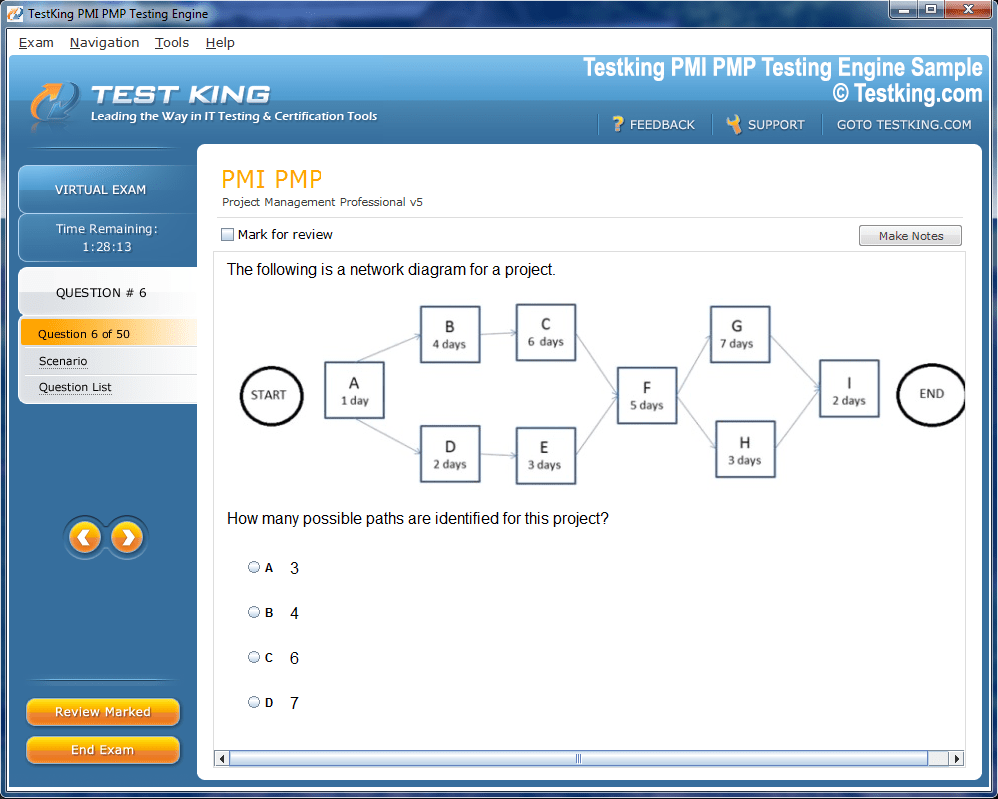
Product Screenshots
nop-1e =1
Complete Professional Development in Virtual Desktop Management with VCP-DTM 2024 Certification
The VCP-DTM 2024 certification represents a pinnacle of professional competency in managing VMware Horizon 8.x environments, encompassing virtual desktops and application delivery at an enterprise level. It is designed to validate a candidate’s capacity to implement, maintain, and troubleshoot virtual desktop infrastructure while ensuring optimal performance, security, and scalability. Professionals achieving this certification demonstrate their adeptness at handling complex scenarios that arise in dynamic IT environments, particularly those emphasizing remote and hybrid work models. The credential signifies more than just theoretical knowledge; it embodies practical proficiency, demonstrating that holders can navigate multifaceted VDI landscapes with precision and foresight.
Virtual desktop infrastructure has evolved beyond the rudimentary concept of centralized desktop management. Modern enterprises leverage VDI not only to provide flexible access to corporate resources but also to enforce stringent security protocols, optimize resource utilization, and enhance operational continuity. In this context, VMware Horizon 8.x provides a robust framework for delivering virtual desktops and applications, integrating advanced automation, performance monitoring, and lifecycle management. The VCP-DTM 2024 credential validates the skills necessary to exploit this platform effectively, emphasizing practical execution of tasks, troubleshooting real-world issues, and aligning administrative activities with organizational objectives.
The certification is particularly significant in an era where digital workplaces demand seamless, secure, and responsive desktop experiences. End-users expect instantaneous access to applications without latency or instability, while IT administrators must ensure that resources are judiciously allocated and that operational costs are contained. The VCP-DTM 2024 exam measures the ability to achieve these goals, reflecting a comprehensive understanding of VMware Horizon architecture, installation, configuration, performance optimization, security protocols, and automated management processes.
Core Competencies Assessed in VCP-DTM 2024
The VCP-DTM 2024 certification focuses on several essential domains, each targeting specific capabilities necessary for effective VDI administration. These domains ensure that candidates are proficient in architecture design, component deployment, user environment management, security, performance monitoring, application delivery, and lifecycle automation.
Horizon Architecture and Components
Understanding the architecture of VMware Horizon is fundamental for implementing and managing VDI solutions. Horizon’s architecture integrates multiple components, each playing a pivotal role in ensuring connectivity, security, scalability, and high availability. Connection Servers serve as the backbone for brokered connections, managing user authentication, desktop entitlements, and session brokering. Security Servers provide an additional layer of defense, typically positioned in demilitarized zones to enable secure external access. Unified Access Gateway acts as a conduit for remote users, facilitating secure connectivity while enforcing authentication and access policies.
An intricate understanding of these components allows administrators to design scalable and resilient Horizon environments. Scalability ensures that as the number of end-users fluctuates, the infrastructure can adjust dynamically without compromising performance. High availability mechanisms distribute workloads and maintain service continuity even in the event of server or component failures. Load balancing optimizes resource utilization and minimizes bottlenecks, ensuring consistent desktop performance. Candidates preparing for VCP-DTM 2024 must not only comprehend these components conceptually but also demonstrate the ability to configure, integrate, and troubleshoot them in practice.
Installation and Configuration
Deployment of Horizon components requires meticulous planning and execution. Administrators must establish parent virtual machines, configure desktop pools, and set up farms to deliver virtual desktops efficiently. Automation plays a significant role in streamlining repetitive tasks, including image creation, application layering, and cloning processes. Implementing automation reduces human error, accelerates deployment cycles, and ensures consistency across environments.
Effective configuration extends beyond simple installation. It encompasses network optimization, storage provisioning, desktop pool entitlements, and policy enforcement. Candidates must be proficient in applying configuration settings that align with organizational requirements, balancing user experience with operational efficiency. The ability to integrate these configurations into existing vSphere infrastructure further demonstrates mastery of the platform and readiness for real-world administrative challenges.
User Environment Management and Policies
User Environment Management is a critical aspect of VDI administration, addressing how user profiles, application access, and personalization settings are applied across virtual desktops. VMware Dynamic Environment Manager (DEM) provides administrators with tools to create dynamic, context-aware policies that adapt to individual user needs while maintaining security and compliance.
Through DEM, administrators can control application entitlements, configure desktop personalization, and enforce corporate policies with granular precision. Effective management ensures that end-users experience consistent environments regardless of the underlying infrastructure, while administrators retain oversight and control over resource access. Mastery of UEM concepts is vital for VCP-DTM 2024 candidates, particularly in organizations where user mobility and multi-device access are prevalent.
Security, Authentication, and Access Control
Security is paramount in virtual desktop environments, particularly given the increasing frequency and sophistication of cyber threats. VCP-DTM 2024 emphasizes securing access through multi-factor authentication, RADIUS, SAML, and conditional access policies. These mechanisms ensure that only authorized users can connect to sensitive resources while minimizing the attack surface.
Group-based policies and least-privilege principles are integral to desktop segregation and access management. Administrators must configure security protocols that balance usability with protection, preventing unauthorized access without impeding legitimate workflows. Scenario-based exam questions evaluate the ability to implement these security measures, reflecting real-world challenges faced by IT teams responsible for safeguarding enterprise environments.
Performance Monitoring and Troubleshooting
Maintaining optimal performance in a Horizon environment requires continuous monitoring and proactive troubleshooting. Administrators must track metrics such as CPU utilization, memory consumption, I/O latency, and network throughput to identify and mitigate potential bottlenecks. Session launches, connectivity issues, and profile loading delays are common pain points that require systematic investigation and resolution.
Troubleshooting in VDI environments is often complex, involving multiple layers of infrastructure, software, and user interaction. Candidates must demonstrate competence in identifying root causes, applying corrective measures, and optimizing configurations to prevent recurrence. This skill set ensures end-users experience responsive desktops and applications while IT resources are efficiently utilized.
Application Delivery and Integration
Application delivery in Horizon environments leverages technologies such as App Volumes and ThinApp to provide dynamic, on-demand access to software. Administrators must understand how to package applications, integrate them into virtual desktops, and deploy them without disrupting user workflows.
Instant clones and RDS-hosted applications provide scalable options for delivering workloads to multiple users simultaneously. These technologies reduce storage requirements, accelerate provisioning, and simplify lifecycle management. Mastery of application delivery mechanisms is essential for candidates aiming to achieve VCP-DTM 2024 certification, as it reflects the practical ability to meet enterprise demands efficiently.
Automation and Lifecycle Management
Automation plays a central role in managing Horizon environments at scale. Administrators use command-line interfaces, PowerShell, and orchestration workflows to automate provisioning, updates, and image management. Automation reduces manual intervention, increases consistency, and accelerates deployment cycles, particularly in large or complex environments.
Lifecycle management encompasses the maintenance of images, patches, and configuration changes, ensuring that virtual desktops remain up-to-date and compliant with organizational policies. VCP-DTM 2024 candidates are expected to demonstrate proficiency in implementing automated workflows that facilitate lifecycle management, thereby minimizing operational overhead and enhancing system reliability.
Prerequisites and Skills for Success
Candidates pursuing VCP-DTM 2024 should possess a foundational understanding of VMware vSphere administration, including knowledge of hypervisor operations, virtual machine management, networking, and storage. Familiarity with desktop virtualization concepts, high availability, disaster recovery, and security best practices is also beneficial.
Practical experience with VMware Horizon, whether through lab environments or professional deployment, provides the contextual understanding necessary to navigate complex scenarios. The combination of theoretical knowledge and hands-on experience enables candidates to address real-world challenges effectively, ensuring preparedness for scenario-based examination questions and enterprise-level tasks.
Exam Structure and Administration
The VCP-DTM 2024 exam consists of sixty questions, incorporating multiple-choice and scenario-based formats. Candidates are allocated 135 minutes to complete the exam, which is administered in English. The assessment emphasizes practical problem-solving and application of knowledge rather than rote memorization, reflecting the real-world demands of Horizon administration.
Exam registration and scheduling are facilitated through Pearson VUE, providing a structured and secure platform for test delivery. Candidates are encouraged to review the official exam guide to align their preparation with the objectives, focusing on areas such as architecture, configuration, security, troubleshooting, and automation.
Learning Path and Preparation Strategies
A structured learning path enhances success in achieving VCP-DTM 2024 certification. Building foundational knowledge in VMware vSphere administration is the first step, as it underpins many tasks related to Horizon management. This includes understanding virtual machine operations, storage configurations, networking, and basic troubleshooting techniques.
Hands-on experience with Horizon components solidifies conceptual understanding and fosters familiarity with operational tasks. Candidates should engage in lab exercises that replicate real-world scenarios, such as configuring desktop pools, deploying applications, troubleshooting session issues, and implementing automation workflows. Practical exposure ensures that knowledge is not merely theoretical but applicable in dynamic enterprise environments.
Formal training courses, including “VMware Horizon: Deploy and Manage [V8.8],” provide structured instruction and guidance. These courses cover core concepts, demonstrate best practices, and facilitate experiential learning through lab activities. Complementing formal training with independent study of the exam guide ensures alignment with current exam objectives, including updated features and enhanced VDI practices introduced in 2025.
Practice exams serve as a valuable tool for assessing readiness and identifying areas requiring further focus. They simulate the testing environment, providing insight into time management, question interpretation, and application of knowledge under exam conditions. Coupled with continuous review and practical exercises, practice exams reinforce comprehension and confidence, enhancing the likelihood of successful certification.
Horizon Installation and Configuration Fundamentals
Effective administration of VMware Horizon 8.x environments begins with a meticulous understanding of installation and configuration procedures. These foundational steps are critical to ensuring that the virtual desktop infrastructure operates efficiently, securely, and at scale. Administrators must integrate Horizon components into existing VMware vSphere environments while aligning deployment strategies with organizational requirements and performance objectives.
Deployment commences with the establishment of parent virtual machines, which serve as templates for creating multiple desktop instances. These parent VMs must be meticulously configured, with optimal operating system settings, application installations, and system updates. Attention to detail during this phase is essential, as the parent VM influences the stability and performance of all subsequent virtual desktops derived from it.
Desktop Pools and Farms
Desktop pools represent collections of virtual desktops configured with specific policies, applications, and resource allocations. Administrators can create dedicated or floating desktop pools depending on organizational requirements. Dedicated pools assign a specific desktop to an individual user, ensuring a consistent environment across sessions. Floating pools, on the other hand, provide desktops dynamically from a shared pool, offering flexibility and efficient resource utilization.
Farms consist of multiple desktop pools and server components working in concert to provide scalable and resilient desktop access. Designing a farm requires careful planning around load balancing, high availability, and redundancy. By strategically distributing resources across multiple servers, administrators ensure that users experience minimal latency and uninterrupted access even during peak demand periods.
Automation and Streamlined Deployment
Automation plays a pivotal role in modern Horizon environments, enabling administrators to accelerate deployment processes while reducing errors. Tools such as VMware PowerCLI and built-in Horizon automation features facilitate the creation, cloning, and configuration of desktops at scale. Automated workflows extend to application layering, image updates, and configuration changes, ensuring consistency across the environment.
Through automation, repetitive tasks that previously consumed significant time can now be executed with precision, allowing administrators to focus on optimization, troubleshooting, and strategic planning. For instance, automated image updates ensure that desktops receive security patches and application updates uniformly, mitigating the risk of configuration drift and enhancing system stability.
Network and Storage Optimization
The performance of virtual desktops is heavily influenced by network and storage configurations. Administrators must ensure that adequate bandwidth is allocated, latency is minimized, and storage subsystems can handle I/O demands efficiently. Storage considerations include the selection of appropriate datastore types, optimization of disk provisioning, and implementation of caching mechanisms to enhance responsiveness.
Network optimization involves segmenting traffic, prioritizing VDI packets, and ensuring secure connectivity through firewalls, gateways, and virtual private networks. Configurations must balance security with accessibility, enabling remote users to connect seamlessly while protecting sensitive data from potential breaches. The interplay between network and storage configurations significantly impacts the overall user experience and operational efficiency of the Horizon environment.
User Environment Management
User Environment Management (UEM) ensures that end-users experience a consistent and personalized desktop environment regardless of the underlying infrastructure. VMware Dynamic Environment Manager (DEM) enables administrators to create dynamic, context-aware policies that govern application access, user profiles, and personalization settings.
Profile Management
Managing user profiles is a critical component of UEM. Administrators must ensure that user-specific data, preferences, and application settings persist across sessions and devices. This persistence enables users to switch between devices without disruption while maintaining the integrity of corporate policies and security controls.
Dynamic profiles adjust according to contextual factors such as device type, location, or security posture. By applying rules that adapt the environment based on these parameters, administrators can deliver a tailored experience that enhances productivity while adhering to compliance requirements.
Policy Enforcement and Application Entitlements
Policies govern which applications and resources users can access within the Horizon environment. Entitlements are assigned based on roles, departments, or individual requirements, ensuring that users receive access appropriate to their responsibilities. Granular control over application delivery prevents unauthorized use, reduces security risks, and maintains system performance by limiting unnecessary resource consumption.
DEM also facilitates application layering, allowing applications to be delivered independently of the base desktop image. This separation simplifies maintenance, accelerates updates, and reduces the need to rebuild desktop templates frequently. The combination of profile management, policy enforcement, and application layering creates a dynamic yet controlled environment optimized for both usability and security.
Security and Access Control
Securing virtual desktop environments is paramount, particularly as remote work and hybrid models expand organizational perimeters. VMware Horizon incorporates multiple security layers to ensure safe access and protect corporate data. Administrators must implement multi-factor authentication, enforce least-privilege policies, and utilize conditional access mechanisms.
Authentication Mechanisms
Authentication protocols, including RADIUS, SAML, and certificate-based methods, validate user identities and ensure that only authorized individuals gain access. Multi-factor authentication adds an additional layer of protection by requiring secondary verification, such as a temporary code or biometric input.
Conditional access policies adapt access based on contextual factors such as device compliance, user location, or network security posture. By dynamically adjusting permissions, administrators can mitigate risk while preserving seamless user experiences. These security measures align with enterprise-level governance frameworks, ensuring compliance with industry standards and regulatory requirements.
Group-Based Security
Group-based security policies enable administrators to apply consistent configurations and restrictions across user cohorts. Segmentation of desktops according to departments, job functions, or sensitivity levels allows for tailored access and reduced attack surfaces. Least-privilege principles ensure that users have access only to the resources necessary for their roles, minimizing exposure and potential security breaches.
Effective security administration in Horizon environments requires continuous monitoring, policy refinement, and proactive response to emerging threats. This holistic approach ensures that both infrastructure and data remain protected while supporting user productivity and operational continuity.
Performance Monitoring and Optimization
Maintaining high performance within Horizon environments necessitates vigilant monitoring of virtual desktops and supporting infrastructure. Administrators must track CPU, memory, storage, and network utilization to detect and address performance bottlenecks proactively.
Metrics and Monitoring Tools
Performance metrics provide insights into resource consumption, latency, and session quality. Monitoring tools can alert administrators to potential issues, enabling timely intervention before end-users experience disruption. Proactive analysis of metrics allows for informed decision-making regarding resource allocation, scaling, and optimization.
Troubleshooting Common Issues
Virtual desktop environments are susceptible to a range of challenges, including slow session launches, application load failures, and connectivity disruptions. Troubleshooting requires systematic evaluation of the underlying components, from network configurations to storage performance and application integration.
Administrators must be able to identify root causes, implement corrective actions, and validate resolution through testing and monitoring. Expertise in troubleshooting ensures minimal disruption to end-users and reinforces the reliability of the VDI infrastructure.
Optimization Strategies
Optimization extends beyond reactive troubleshooting, encompassing strategies to enhance efficiency, responsiveness, and scalability. Techniques such as resource pooling, workload balancing, and caching can significantly improve user experiences. Additionally, refining image configurations, tuning application delivery methods, and leveraging automation contribute to sustained performance gains.
Effective optimization requires both technical knowledge and strategic foresight, ensuring that Horizon environments not only meet current demands but also adapt to future growth and evolving user requirements.
Application Delivery and Integration
Delivering applications efficiently in a Horizon environment requires integrating multiple technologies and strategies to streamline access and reduce administrative overhead. App Volumes and ThinApp provide mechanisms for packaging, deploying, and updating applications dynamically.
App Volumes
App Volumes enable administrators to deliver applications in real time without modifying the base desktop image. Applications are assigned to users or groups and can be updated independently of the desktop, reducing maintenance complexity and accelerating deployment cycles.
ThinApp
ThinApp facilitates application virtualization, encapsulating software into portable packages that can run independently of the underlying operating system. This approach simplifies application delivery, minimizes conflicts, and supports flexible deployment across diverse desktop environments.
Instant Clones and RDS-Hosted Applications
Instant clones allow rapid provisioning of virtual desktops by creating copies of parent VMs with minimal storage overhead. RDS-hosted applications extend the flexibility of Horizon environments by delivering server-hosted applications to multiple users simultaneously. Both technologies enhance scalability, reduce infrastructure demands, and support dynamic enterprise workflows.
Integration Considerations
Integrating application delivery solutions with Horizon components requires careful planning and configuration. Administrators must ensure compatibility, maintain security standards, and align delivery methods with organizational policies. Proper integration minimizes downtime, optimizes resource utilization, and enhances the overall user experience.
Automation and Lifecycle Management
Lifecycle management and automation are critical for sustaining efficient Horizon environments over time. Automation reduces manual intervention, ensures consistency, and accelerates administrative tasks. PowerCLI scripts, command-line interfaces, and orchestration tools allow administrators to automate provisioning, updates, and decommissioning of desktops and applications.
Lifecycle Management
Lifecycle management encompasses monitoring system health, applying updates, managing images, and orchestrating configuration changes. Automated workflows ensure that updates are deployed consistently, security patches are applied promptly, and system performance is maintained.
Orchestration and Workflow Automation
Orchestration tools enable administrators to define sequences of tasks that execute automatically, reducing the risk of human error and freeing personnel to focus on strategic initiatives. Workflow automation streamlines repetitive processes, from desktop provisioning to application deployment, ensuring consistent and reliable operations across the environment.
Benefits of Automation
Automation and lifecycle management together enhance operational efficiency, reduce downtime, and improve user satisfaction. Administrators can focus on optimization, troubleshooting, and planning rather than routine maintenance. Organizations benefit from increased scalability, predictable performance, and reduced total cost of ownership for virtual desktop infrastructure.
Preparation Strategies for VCP-DTM 2024
Achieving VCP-DTM 2024 certification requires a combination of theoretical knowledge, hands-on experience, and structured preparation. Candidates should first develop a strong foundation in VMware vSphere administration, including virtual machine management, storage configurations, and network integration.
Practical experience with Horizon components is essential, allowing candidates to engage with real-world scenarios, deploy desktops and applications, configure policies, and troubleshoot performance issues. Lab exercises provide the opportunity to simulate enterprise environments, reinforcing learning and enhancing problem-solving skills.
Formal training courses, self-paced study guides, and practice exams complement hands-on experience, providing structured guidance and alignment with exam objectives. Candidates are advised to focus on scenario-based learning, reflecting the practical nature of the certification exam and the operational demands of Horizon administration.
Advanced Security Strategies in Horizon Environments
Securing VMware Horizon 8.x environments requires a multifaceted approach that addresses authentication, access control, network segmentation, and continuous monitoring. Security in virtual desktop infrastructures goes beyond protecting endpoints; it encompasses safeguarding user data, enforcing corporate policies, and mitigating threats across the entire virtual ecosystem.
Multi-Factor Authentication and Access Policies
Multi-factor authentication (MFA) is an essential layer of protection, requiring users to validate their identities through multiple verification methods. Combining password-based authentication with secondary mechanisms such as one-time tokens, biometrics, or smart cards ensures that access is granted only to authorized personnel. MFA reduces the risk of unauthorized entry, particularly in environments where remote and hybrid access is prevalent.
Conditional access policies complement MFA by adapting permissions based on contextual factors, including device compliance, geolocation, and network security posture. Administrators can enforce stricter controls for high-risk scenarios while allowing seamless access in trusted environments. This adaptive approach balances security with usability, ensuring that end-users experience minimal friction while organizational data remains protected.
Role-Based and Least-Privilege Access
Implementing role-based access control (RBAC) and least-privilege principles ensures that users receive only the permissions necessary to perform their tasks. Segmenting users according to departments, functions, or sensitivity levels minimizes exposure and reduces the attack surface. Administrators must continuously audit access controls, updating entitlements to reflect organizational changes and evolving security requirements.
Dynamic policies further enhance security by automatically adjusting access based on user context. For example, temporary elevated permissions may be granted for specific tasks and revoked upon completion, ensuring that privileges are tightly controlled without hindering operational efficiency. These strategies mitigate risks associated with insider threats, compromised credentials, and inadvertent misconfigurations.
Network Security and Segmentation
The network layer is a critical component of Horizon security. Administrators must ensure that VDI traffic is encrypted, segmented, and monitored to prevent unauthorized access or data leakage. Virtual LANs, firewalls, and secure gateways such as Unified Access Gateway enable segmentation, controlling traffic flow between desktops, applications, and backend services.
Secure external access often requires tunneling connections through gateways that authenticate users and inspect traffic. By isolating internal resources from external connections, organizations can maintain robust security without impeding user productivity. Monitoring tools complement network segmentation by detecting anomalies, alerting administrators to potential breaches, and facilitating rapid remediation.
Security Monitoring and Threat Response
Continuous monitoring is essential to identify and mitigate threats before they impact end-users or compromise critical resources. Horizon administrators must leverage monitoring tools to track user activity, system performance, and potential security anomalies. Proactive monitoring allows for rapid detection of unusual behavior, failed authentication attempts, or resource abuse, enabling timely intervention.
Integration with centralized security information and event management (SIEM) systems enhances threat visibility, correlating events across multiple layers of the infrastructure. This holistic approach provides a comprehensive view of security posture, enabling administrators to respond quickly to incidents and maintain regulatory compliance.
Performance Monitoring and Troubleshooting Techniques
Maintaining optimal performance in a Horizon environment requires systematic monitoring, proactive troubleshooting, and continuous optimization. Virtual desktops rely on shared infrastructure resources, and inefficiencies in CPU, memory, storage, or network allocation can significantly degrade user experience.
Metrics Collection and Analysis
Monitoring involves collecting metrics across multiple layers, including hypervisor performance, virtual machine utilization, storage throughput, and network latency. Administrators must analyze these metrics to identify trends, detect anomalies, and anticipate potential bottlenecks. Tools integrated with VMware Horizon provide dashboards, alerts, and historical data to facilitate performance assessment and decision-making.
Metrics analysis extends beyond reactive troubleshooting. By understanding usage patterns, administrators can proactively adjust resource allocation, optimize desktop configurations, and plan for future scaling. Predictive insights derived from monitoring data support informed decision-making, ensuring sustained performance even under variable workloads.
Troubleshooting Common Performance Issues
Troubleshooting in Horizon environments often requires a layered approach, evaluating multiple potential sources of latency or failure. Common issues include slow session launches, delayed application load times, profile corruption, and connectivity disruptions.
Administrators must employ systematic diagnostic techniques, correlating logs, metrics, and user reports to pinpoint root causes. Effective troubleshooting may involve adjusting virtual machine configurations, tuning storage performance, optimizing network paths, or refining application delivery methods. Scenario-based problem solving ensures that solutions address underlying causes rather than superficial symptoms, enhancing system reliability and user satisfaction.
Optimization Strategies for Resource Utilization
Optimization involves balancing performance, scalability, and resource efficiency. Techniques such as CPU and memory overcommitment, storage tiering, and load balancing can improve responsiveness while conserving resources. Administrators must evaluate the trade-offs of each optimization strategy, ensuring that improvements do not compromise stability or security.
Image management, including the creation of streamlined parent VMs and the use of automation for updates, contributes significantly to performance optimization. By standardizing images and applying consistent configurations, administrators reduce variability, minimize errors, and accelerate deployment cycles. Optimization is an ongoing process, requiring continuous monitoring, analysis, and adjustment to meet evolving demands.
Application Delivery and Dynamic Integration
Delivering applications efficiently within Horizon environments requires careful integration of virtualization technologies, application layering, and real-time provisioning. Ensuring that applications are accessible, up-to-date, and performant is critical to end-user productivity and operational efficiency.
App Volumes and ThinApp Integration
App Volumes enables administrators to deliver applications dynamically, assigning them to users or groups without modifying base desktop images. This approach reduces management complexity, accelerates application updates, and supports flexible deployment across diverse environments.
ThinApp provides a complementary approach by encapsulating applications into portable, self-contained packages. These packages run independently of the operating system, eliminating conflicts, simplifying deployment, and enhancing compatibility. Together, App Volumes and ThinApp facilitate a modular and agile application delivery strategy, aligning with enterprise demands for responsiveness and efficiency.
Instant Clones and RDS-Hosted Applications
Instant clones provide rapid provisioning of virtual desktops from a parent VM, minimizing storage usage and accelerating deployment times. This technology enables administrators to scale environments quickly, accommodating fluctuating user populations and dynamic workload demands.
RDS-hosted applications extend Horizon capabilities by delivering server-hosted software to multiple users simultaneously. This approach reduces local resource consumption, centralizes application management, and supports multi-user collaboration. Administrators must plan and configure RDS-hosted environments carefully to ensure performance, security, and reliability.
Integration and Operational Considerations
Effective application delivery requires seamless integration with Horizon components, underlying infrastructure, and organizational policies. Administrators must align application updates, image changes, and provisioning workflows to maintain stability and minimize disruption. Coordinated integration ensures consistent user experiences, reduces administrative overhead, and maximizes infrastructure efficiency.
Operational considerations also include monitoring application usage, adjusting entitlements, and ensuring compliance with licensing and security requirements. By combining technical proficiency with strategic oversight, administrators can deliver applications that are both accessible and secure, supporting enterprise productivity and governance.
Automation and Lifecycle Management Strategies
Automation and lifecycle management are central to sustaining Horizon environments at scale. These practices reduce manual intervention, enhance consistency, and facilitate rapid response to operational demands.
Provisioning Automation
Automated provisioning accelerates the creation of virtual desktops, application deployments, and configuration changes. Using PowerCLI, CLI scripts, or orchestration tools, administrators can define repeatable workflows that execute reliably, minimizing human error and reducing deployment times.
Provisioning automation supports both individual desktops and large-scale pools, enabling rapid adaptation to changing user populations or organizational requirements. Automated processes also allow administrators to implement updates and patches consistently across all desktops, enhancing security and performance while reducing administrative effort.
Image Management and Updates
Lifecycle management encompasses maintaining base images, applying security patches, updating applications, and managing configuration changes. Automated workflows ensure that these tasks occur consistently, preserving image integrity and minimizing the risk of configuration drift.
Regularly updated images provide end-users with secure, high-performing desktops while simplifying administrative tasks. By standardizing image management and leveraging automation, administrators can reduce downtime, improve system reliability, and maintain alignment with corporate policies.
Orchestration and Workflow Optimization
Orchestration tools enable administrators to define sequences of tasks that execute automatically, coordinating provisioning, updates, and maintenance activities. These workflows ensure that complex processes occur in the correct order, reducing the potential for errors and improving operational efficiency.
Optimization of workflows includes evaluating task dependencies, resource allocation, and execution timing. Streamlined orchestration allows administrators to manage larger environments with fewer resources, maintaining performance and reliability while supporting scalability and business continuity.
Monitoring and Reporting in Large-Scale Environments
Large Horizon deployments require robust monitoring and reporting mechanisms to maintain visibility, performance, and compliance. Administrators must track usage patterns, resource consumption, and system health to make informed operational decisions.
Metrics-Driven Insights
Monitoring tools provide real-time metrics and historical data, enabling administrators to detect anomalies, identify trends, and optimize resource allocation. Key performance indicators include session latency, CPU and memory utilization, network throughput, and storage I/O.
Metrics-driven insights support proactive decision-making, allowing administrators to anticipate demand, prevent bottlenecks, and adjust configurations dynamically. This approach ensures sustained performance, reduces downtime, and enhances user satisfaction.
Reporting for Compliance and Optimization
Comprehensive reporting facilitates compliance with corporate policies and regulatory requirements. Administrators can generate reports on user activity, system changes, application usage, and security events. Reporting also supports optimization efforts by highlighting underutilized resources, over-provisioned systems, or areas requiring adjustment.
Effective reporting combines technical detail with strategic analysis, providing stakeholders with actionable insights. Administrators leverage this information to refine policies, plan capacity expansions, and align VDI operations with organizational goals.
Preparation Techniques for Certification Success
Achieving VCP-DTM 2024 certification requires a combination of technical expertise, practical experience, and strategic study. Candidates should engage in hands-on labs, simulate real-world scenarios, and practice problem-solving for installation, configuration, and troubleshooting tasks.
Structured learning paths enhance readiness by combining theoretical study, guided exercises, and practice exams. Understanding the exam blueprint ensures alignment with updated objectives, particularly the 2025 changes emphasizing automation, security, and enterprise-scale VDI operations.
Hands-on experience is indispensable, enabling candidates to translate theoretical knowledge into actionable skills. Simulated deployments, desktop pool configurations, policy management exercises, and application delivery workflows reinforce comprehension and prepare candidates for scenario-based exam questions.
Practice exams provide critical feedback on readiness, highlighting strengths and identifying areas for improvement. Repeated exposure to exam-style questions builds confidence, enhances time management, and develops the analytical skills required to navigate complex scenarios efficiently.
Advanced Troubleshooting in Horizon Environments
Effective administration of VMware Horizon 8.x environments requires not only proper installation, configuration, and monitoring but also the ability to troubleshoot complex issues efficiently. Troubleshooting is a multifaceted process that demands an understanding of the infrastructure, virtual desktop interactions, user environment management, and application delivery mechanisms. Administrators must approach problems systematically, isolating root causes and applying targeted solutions to maintain optimal performance and reliability.
Identifying Common Desktop Issues
Virtual desktops can encounter a variety of challenges, including slow session startups, delayed application launches, corrupted profiles, and intermittent connectivity problems. Each of these issues can stem from multiple sources such as misconfigured components, network bottlenecks, or resource contention within the vSphere environment.
Identifying the precise source of an issue requires comprehensive monitoring data, event logs, and user reports. Administrators must correlate information from multiple layers of the infrastructure, including the hypervisor, Horizon servers, network devices, and storage systems. Effective problem identification ensures that corrective measures address the actual cause rather than merely mitigating symptoms.
Analyzing Logs and Metrics
Logs and metrics are indispensable tools for troubleshooting Horizon environments. Event logs capture detailed information about system operations, errors, and security events, providing insight into the sequence of actions that led to a problem. Performance metrics, including CPU and memory utilization, disk I/O, and network latency, reveal potential bottlenecks that may affect user experience.
Administrators must develop the ability to interpret complex log entries and metric trends, distinguishing between normal operational variations and indicators of underlying issues. Analytical skills and experience with log analysis tools are essential for diagnosing problems efficiently, minimizing downtime, and maintaining consistent performance.
Network and Connectivity Troubleshooting
Network-related issues are among the most common challenges in Horizon deployments, especially in remote or hybrid environments. Connectivity problems may arise from firewall misconfigurations, VPN issues, load balancer errors, or latency fluctuations. Administrators must evaluate routing, DNS resolution, firewall rules, and security policies to ensure seamless connectivity between clients, Connection Servers, and backend resources.
Advanced troubleshooting techniques involve isolating the affected segment of the network, simulating user connections, and verifying traffic flow through diagnostic tools. By systematically narrowing down the potential sources of failure, administrators can implement precise corrective actions, restoring reliable access for end-users without extensive disruption.
Storage and I/O Optimization
Storage performance directly impacts virtual desktop responsiveness. Slow I/O can result in delayed session launches, application sluggishness, and profile loading failures. Administrators must monitor storage latency, read/write throughput, and datastore performance, identifying areas where optimization is required.
Techniques for storage optimization include selecting appropriate storage tiers, implementing caching strategies, balancing workloads across multiple datastores, and monitoring IOPS consumption. Effective storage management enhances performance, reduces resource contention, and supports scalable deployment of virtual desktops.
Application Delivery Troubleshooting
Applications delivered through Horizon may encounter conflicts, loading failures, or performance degradation. Troubleshooting application delivery requires understanding the underlying technologies, including App Volumes, ThinApp, and RDS-hosted applications. Administrators must verify package integrity, application compatibility, and delivery workflows.
Dynamic application layering introduces complexity, as changes to base images or user entitlements can affect multiple desktops simultaneously. Systematic validation of application assignments, logging of delivery errors, and testing of individual components are critical for resolving issues and ensuring consistent end-user experiences.
Scaling and Optimizing Horizon Deployments
As organizations grow, Horizon environments must scale effectively to support increased user populations while maintaining performance, reliability, and security. Scaling involves adjusting infrastructure resources, deploying additional Connection Servers, expanding storage capacity, and optimizing desktop provisioning processes.
Horizontal and Vertical Scaling
Horizontal scaling involves adding more servers or nodes to distribute workloads, enhancing capacity and fault tolerance. This approach ensures high availability, prevents resource contention, and supports large user populations without degradation in performance.
Vertical scaling focuses on enhancing the capacity of individual components, such as increasing CPU, memory, or storage allocations. While vertical scaling can improve performance for specific workloads, it has practical limitations and must be complemented by horizontal expansion to achieve sustainable scalability.
Load Balancing and High Availability
Load balancing is essential for distributing user connections evenly across Connection Servers and desktop pools. Properly configured load balancing prevents overloading individual servers, ensuring consistent performance and reliability.
High availability configurations, including redundant servers and failover mechanisms, minimize downtime and support business continuity. Administrators must design Horizon architectures that incorporate both load balancing and high availability, aligning infrastructure capabilities with organizational requirements and user expectations.
Resource Optimization Techniques
Optimizing resource utilization involves analyzing patterns of CPU, memory, storage, and network consumption. Administrators can implement strategies such as dynamic resource allocation, session load management, and desktop power management to maximize efficiency.
Techniques like storage tiering, memory ballooning, and CPU scheduling reduce contention and improve responsiveness. Automated monitoring and alerts allow administrators to identify underutilized resources and reallocate them where needed, maintaining performance while reducing infrastructure costs.
User Environment Management at Scale
Scaling Horizon environments requires advanced UEM strategies to maintain consistent user experiences across diverse devices and locations. Dynamic policies, profile management, and application entitlements must function seamlessly for large user populations.
Dynamic Policy Enforcement
Dynamic policies adapt to contextual variables such as device type, location, security posture, and user role. By enforcing rules automatically, administrators ensure compliance, optimize performance, and deliver personalized experiences at scale.
These policies extend to application delivery, desktop configurations, and resource access. Consistency across endpoints enhances productivity, reduces support requests, and ensures that security protocols are uniformly applied throughout the environment.
Profile and Personalization Management
Managing user profiles at scale involves maintaining persistent settings, application preferences, and personalization across multiple devices. Profile management solutions like VMware Dynamic Environment Manager enable administrators to centralize configuration while allowing users to retain personalized experiences.
Challenges include ensuring rapid profile loading, preventing corruption, and maintaining synchronization across endpoints. Techniques such as profile redirection, caching, and policy-based segmentation help mitigate these challenges, providing seamless access for large numbers of users.
Monitoring and Compliance
At scale, monitoring user sessions, application usage, and policy adherence becomes critical. Administrators must implement tools that provide visibility into user behavior, system performance, and compliance with corporate policies.
Automated reporting and analytics facilitate proactive management, allowing administrators to identify potential issues, enforce security policies, and optimize resource allocation. This continuous oversight ensures operational efficiency and regulatory compliance in expansive Horizon environments.
Advanced Automation and Orchestration
Automation and orchestration are essential for managing large-scale Horizon deployments efficiently. Administrators can leverage scripting, orchestration tools, and integrated management platforms to streamline repetitive tasks and maintain consistency.
Workflow Automation
Workflow automation involves defining sequences of administrative tasks that execute automatically, reducing manual intervention and ensuring repeatable processes. Examples include automated provisioning of desktops, application deployment, patch management, and configuration updates.
By standardizing workflows, administrators can minimize errors, accelerate operational processes, and maintain compliance. Automation also enables rapid adaptation to changing requirements, such as adding new users or deploying updated applications across multiple pools.
Orchestration and Policy Integration
Orchestration tools enable administrators to coordinate complex, multi-step processes, ensuring tasks execute in the correct sequence. Policy integration within orchestration frameworks ensures that security, compliance, and performance requirements are enforced automatically.
Advanced orchestration supports lifecycle management, including image updates, resource scaling, and automated failover. This capability is particularly valuable in large environments where manual management would be time-consuming and error-prone.
Benefits of Automation at Scale
Automation and orchestration improve operational efficiency, reduce administrative overhead, and enhance reliability. They allow administrators to focus on strategic initiatives, such as optimization, architecture design, and policy refinement, rather than repetitive maintenance tasks.
Effective automation ensures that large Horizon environments remain consistent, secure, and performant, providing a seamless experience for end-users while optimizing resource utilization and reducing costs.
Monitoring, Reporting, and Analytics
Large-scale Horizon deployments demand comprehensive monitoring and reporting to maintain visibility, performance, and compliance. Administrators must leverage tools that provide insights into infrastructure health, user experience, and policy adherence.
Performance Metrics and Analysis
Collecting metrics across virtual machines, storage systems, networks, and applications enables administrators to detect performance bottlenecks, identify trends, and plan capacity expansions. Metrics-driven analysis supports proactive management, ensuring that user experiences remain consistent even during peak demand.
Historical data facilitates predictive analytics, allowing administrators to anticipate resource requirements and optimize configurations before issues arise. By combining real-time monitoring with historical insights, Horizon environments can achieve high levels of reliability and responsiveness.
Reporting for Optimization and Compliance
Comprehensive reporting provides actionable insights for administrators, enabling them to refine policies, optimize resource allocation, and ensure compliance with organizational standards. Reports on session activity, application usage, system performance, and security events allow administrators to make data-driven decisions and maintain operational excellence.
Reporting also supports capacity planning, resource forecasting, and strategic decision-making. By leveraging analytics effectively, administrators can align Horizon operations with business objectives and deliver consistently high-performing virtual desktop environments.
Exam Preparation and Strategy
Preparing for VCP-DTM 2024 requires a combination of theoretical knowledge, practical experience, and strategic study methods. Hands-on experience with Horizon components, scenario-based lab exercises, and familiarity with updated exam objectives are essential for success.
Structured learning paths should focus on installation, configuration, UEM, security, performance monitoring, troubleshooting, application delivery, and automation. Candidates must practice solving real-world problems, simulating large-scale deployments, and applying policies consistently across diverse environments.
Practice exams provide valuable feedback on readiness, highlighting areas of strength and identifying knowledge gaps. Consistent study, hands-on practice, and scenario-based exercises ensure candidates are well-prepared to handle the practical and analytical challenges presented by the VCP-DTM 2024 exam.
Advanced Application Delivery Integration
In VMware Horizon 8.x environments, efficient application delivery is critical for maintaining productivity, ensuring security, and optimizing resource utilization. Administrators must integrate multiple technologies, including App Volumes, ThinApp, instant clones, and RDS-hosted applications, to deliver applications seamlessly to virtual desktops. Proper integration reduces complexity, enhances scalability, and ensures a consistent user experience.
App Volumes for Dynamic Application Delivery
App Volumes allows applications to be delivered dynamically to users without modifying the base desktop image. Administrators can assign applications to users, groups, or desktop pools, enabling flexibility and scalability. By separating applications from the base image, updates and patches can be applied independently, reducing downtime and administrative effort.
Dynamic delivery ensures that applications are available only to authorized users, maintaining compliance and reducing resource waste. Administrators can monitor application usage, optimize licensing, and streamline provisioning processes, ensuring that enterprise requirements are met efficiently.
ThinApp for Portable Applications
ThinApp provides a portable application virtualization solution, encapsulating applications into self-contained packages. These packages run independently of the underlying operating system, eliminating conflicts and enabling rapid deployment across multiple desktops.
ThinApp’s portability enhances operational efficiency, allowing administrators to deliver applications consistently across diverse endpoints. By reducing dependency on the base image, ThinApp simplifies maintenance and enables faster response to application updates or changes in enterprise requirements.
Instant Clones for Rapid Provisioning
Instant clones allow administrators to create multiple virtual desktops from a single parent VM in a fraction of the time required for traditional cloning methods. This technology reduces storage overhead, accelerates deployment, and supports dynamic scaling of virtual desktop environments.
The rapid provisioning capability of instant clones is particularly valuable in environments with fluctuating user populations, such as training labs, seasonal workforce deployments, or remote work scenarios. Administrators can maintain a pool of ready-to-use desktops, ensuring seamless access while optimizing infrastructure resources.
RDS-Hosted Applications
RDS-hosted applications extend Horizon capabilities by delivering server-hosted applications to multiple users simultaneously. This approach reduces local resource consumption on client devices, centralizes management, and enhances scalability.
Administrators must configure RDS servers, manage session hosts, and optimize load balancing to ensure that multiple users can access hosted applications efficiently. RDS-hosted applications are particularly useful in scenarios requiring centralized control, high availability, and consistent application delivery across large user populations.
Integration Best Practices
Integrating multiple application delivery mechanisms requires careful planning and configuration. Administrators must ensure compatibility between App Volumes, ThinApp, instant clones, and RDS-hosted applications. Coordination between desktop pools, parent images, and delivery methods is essential to maintain performance and reduce conflicts.
Monitoring and testing are critical to validate integration, identify potential issues, and optimize workflows. Administrators should simulate real-world scenarios, verify application functionality, and adjust configurations to ensure that end-users experience reliable and responsive applications.
Lifecycle Management in Horizon Environments
Lifecycle management encompasses the ongoing maintenance, updating, and optimization of virtual desktops, applications, and supporting infrastructure. Effective lifecycle management ensures system reliability, security, and performance while reducing administrative effort and operational costs.
Image Management and Updates
Managing base images is a cornerstone of lifecycle management. Administrators must maintain up-to-date parent VMs, applying security patches, operating system updates, and application changes consistently across all derived desktops.
Automation tools facilitate the update process, ensuring that changes propagate uniformly without disrupting end-users. By standardizing images and automating updates, administrators reduce errors, enhance security, and maintain operational consistency across the Horizon environment.
Desktop Provisioning and Decommissioning
Lifecycle management extends to the provisioning and decommissioning of virtual desktops. Automated workflows streamline these processes, enabling administrators to rapidly scale environments or retire unused resources efficiently.
Provisioning automation ensures that new desktops inherit standardized configurations, policies, and applications. Decommissioning workflows safely remove desktops, reclaim resources, and maintain compliance with data retention policies. Effective management of desktop lifecycles minimizes waste, reduces administrative overhead, and ensures consistent user experiences.
Patch Management and Security Updates
Timely application of patches and security updates is essential for protecting virtual desktops and applications from vulnerabilities. Administrators must coordinate patch deployment, monitor update progress, and verify that all desktops and applications remain secure and compliant.
Automation tools support patch management, reducing the risk of human error and ensuring uniform application across large-scale deployments. By integrating patch management into lifecycle workflows, administrators maintain system integrity while minimizing disruptions to end-users.
Automation in Horizon Environments
Automation is central to maintaining efficiency, consistency, and reliability in VMware Horizon environments. Administrators leverage scripting, orchestration, and policy-driven workflows to reduce manual intervention and improve operational performance.
PowerCLI and CLI Automation
PowerCLI and command-line interface (CLI) scripts enable administrators to automate repetitive tasks such as desktop provisioning, application assignment, and configuration updates. By defining repeatable scripts, administrators can execute tasks reliably across multiple desktops and pools, reducing errors and improving efficiency.
Automation scripts can handle complex workflows, including image updates, security policy enforcement, and system scaling. These tools empower administrators to manage large-scale environments with precision and consistency, ensuring alignment with enterprise objectives.
Orchestration Workflows
Orchestration tools coordinate multiple tasks into automated workflows, ensuring sequential execution and adherence to policies. For example, a workflow can automate provisioning, configure user entitlements, deploy applications, and validate system performance without manual intervention.
By integrating policy enforcement into orchestration workflows, administrators can maintain compliance, security, and operational standards automatically. Workflow orchestration reduces administrative workload, accelerates deployment cycles, and enhances the reliability of Horizon environments.
Benefits of Automation
Automation offers numerous benefits, including reduced administrative effort, enhanced consistency, and improved scalability. By automating routine processes, administrators can focus on strategic initiatives such as optimization, architecture design, and proactive troubleshooting.
Automation also ensures rapid response to changing requirements, such as new user onboarding, application updates, or security policy changes. These capabilities are essential in large-scale deployments, where manual management would be inefficient, error-prone, and resource-intensive.
Monitoring and Analytics for Optimized Operations
Monitoring and analytics are critical for maintaining performance, identifying issues, and optimizing resource utilization in Horizon environments. Administrators must implement comprehensive monitoring solutions that provide visibility across infrastructure, desktops, applications, and user sessions.
Real-Time Monitoring
Real-time monitoring tools track performance metrics such as CPU, memory, storage I/O, network latency, and session responsiveness. Continuous monitoring allows administrators to detect anomalies, address potential bottlenecks, and ensure that end-users experience consistent performance.
Monitoring dashboards provide centralized visibility, enabling administrators to analyze trends, track resource utilization, and make informed operational decisions. Proactive monitoring enhances system reliability, reduces downtime, and supports user satisfaction.
Historical Analysis and Predictive Insights
Historical performance data allows administrators to analyze trends, anticipate resource requirements, and optimize configurations proactively. Predictive insights support capacity planning, infrastructure scaling, and proactive issue mitigation, ensuring that Horizon environments remain responsive under fluctuating workloads.
By combining real-time monitoring with historical analysis, administrators can identify patterns of resource consumption, detect anomalies early, and implement strategies that maximize efficiency while maintaining performance standards.
Reporting for Compliance and Optimization
Reporting provides actionable insights into system health, user activity, and policy adherence. Administrators can generate reports on session usage, application access, security events, and performance metrics.
Reports support compliance initiatives, capacity planning, and optimization strategies. By analyzing report data, administrators can identify underutilized resources, optimize desktop provisioning, and ensure that enterprise policies are enforced consistently across the environment.
Preparation Strategies for VCP-DTM 2024 Certification
Achieving VCP-DTM 2024 certification requires a structured approach that combines theoretical study, hands-on experience, and practical application. Candidates must familiarize themselves with the Horizon architecture, installation and configuration processes, user environment management, security protocols, performance monitoring, application delivery, automation, and lifecycle management.
Hands-On Experience
Practical experience is indispensable for mastering Horizon administration. Candidates should engage in lab exercises that simulate real-world scenarios, including desktop provisioning, policy management, application delivery, and troubleshooting. Hands-on practice reinforces theoretical knowledge, develops problem-solving skills, and prepares candidates for scenario-based exam questions.
Structured Learning Paths
Structured learning paths integrate guided courses, study guides, and lab exercises. Recommended training programs cover installation, configuration, administration, troubleshooting, and optimization, providing a comprehensive foundation for certification preparation.
By following a structured learning path, candidates ensure coverage of all exam objectives and develop a systematic approach to problem-solving. This structured preparation is particularly important for addressing the scenario-based questions emphasized in the updated 2025 exam blueprint.
Practice Exams and Assessment
Practice exams simulate real testing conditions, allowing candidates to evaluate their readiness, identify knowledge gaps, and refine time management skills. Repeated exposure to exam-style questions enhances familiarity with question formats and reinforces comprehension of key concepts.
Candidates should use practice exam results to guide focused study, addressing areas of weakness and consolidating strengths. Regular assessment ensures that preparation remains aligned with exam objectives and enhances confidence for successful certification outcomes.
Continuous Review and Application
Certification preparation requires continuous review and practical application of learned concepts. Administrators should revisit key topics, practice troubleshooting scenarios, and engage with lab exercises regularly.
Applying knowledge in simulated or real-world environments reinforces understanding, develops proficiency, and ensures that skills are transferable to enterprise deployments. Continuous review and practice are essential for achieving mastery in VMware Horizon administration and excelling in the VCP-DTM 2024 exam.
Advanced Integration and Enterprise Deployment
Managing VMware Horizon 8.x environments in large enterprises requires a comprehensive understanding of system integration, cross-platform interoperability, and deployment strategies. Administrators must coordinate multiple Horizon components, virtual infrastructure, network configurations, and user access policies to deliver a seamless, high-performing virtual desktop experience.
Coordinating Horizon Components
Horizon environments consist of multiple interconnected components, including Connection Servers, Security Servers, Unified Access Gateways, desktop pools, and parent VMs. Administrators must ensure that these components communicate efficiently, adhere to security policies, and scale to meet user demand.
Efficient coordination involves designing logical architectures, implementing redundancy for high availability, and configuring load balancing across servers. Proper alignment of components reduces latency, prevents resource contention, and enhances reliability, providing a consistent experience for end-users across the enterprise.
Integration with vSphere and Backend Systems
Integration with VMware vSphere is critical for resource allocation, virtual machine management, and underlying infrastructure optimization. Administrators must understand hypervisor configurations, datastore selection, network segmentation, and resource allocation policies to maintain performance at scale.
Integration extends to backend systems such as directory services, identity management platforms, and storage arrays. Ensuring seamless interoperability between Horizon components and backend systems is essential for authentication, access control, policy enforcement, and data consistency.
Cross-Platform Interoperability
Enterprises often operate heterogeneous environments with varying operating systems, devices, and application requirements. Horizon administrators must ensure interoperability across Windows, Linux, macOS, and mobile endpoints while maintaining centralized management and consistent user experiences.
Cross-platform considerations include device-specific display protocols, peripheral support, network optimizations, and policy enforcement. Administrators must test and validate configurations to ensure functionality, performance, and security across diverse endpoints.
Advanced User Experience Optimization
End-user experience is central to the success of virtual desktop deployments. Optimizing responsiveness, application performance, and session reliability ensures productivity and satisfaction.
Session Performance Tuning
Session performance is influenced by CPU, memory, storage, and network utilization. Administrators must monitor these resources actively, detect bottlenecks, and implement tuning strategies such as resource pooling, dynamic allocation, and storage tiering.
Advanced session tuning includes optimizing protocol settings, adjusting display configurations, and leveraging caching mechanisms to reduce latency. By fine-tuning performance parameters, administrators can deliver responsive and reliable virtual desktop experiences, even in large-scale or resource-constrained environments.
Application Responsiveness and Delivery
Application performance depends on delivery methods, backend infrastructure, and system configurations. Administrators must optimize application assignments through App Volumes, ThinApp, instant clones, and RDS-hosted applications.
Load balancing, session optimization, and resource allocation ensure that applications respond promptly. Continuous monitoring and adjustment of delivery mechanisms help maintain consistency, minimize delays, and support enterprise productivity requirements.
Profile and Personalization Management
Managing user profiles effectively is critical for delivering personalized experiences. VMware Dynamic Environment Manager allows administrators to implement dynamic policies, manage application settings, and preserve user preferences across sessions and devices.
Profile optimization strategies include redirection of data folders, caching of frequently used resources, and policy-based segmentation. These techniques reduce login times, prevent profile corruption, and enhance overall responsiveness, contributing to a seamless user experience.
Advanced Security and Compliance Practices
Security remains a top priority in Horizon deployments, particularly in large-scale, enterprise, or regulated environments. Administrators must implement layered security strategies, enforce compliance policies, and continuously monitor system health.
Multi-Layered Security
Effective security combines network segmentation, role-based access, multi-factor authentication, and policy enforcement. By implementing multiple layers, administrators reduce the risk of unauthorized access, data leakage, and security breaches.
Continuous monitoring of user sessions, application access, and infrastructure components enables rapid detection of anomalies. Administrators can respond proactively to security threats, ensuring the integrity of the virtual desktop environment.
Regulatory Compliance
Enterprises must adhere to industry regulations, such as GDPR, HIPAA, or SOX, which influence data handling, access controls, and auditing. Horizon administrators must configure environments to comply with these standards, including secure storage, encryption, and access logging.
Regular audits, reporting, and automated compliance checks ensure that virtual desktop infrastructures meet regulatory requirements. Policy-driven management and centralized oversight simplify compliance maintenance while supporting operational efficiency.
Incident Response and Remediation
Rapid identification and remediation of security incidents are essential. Administrators must implement monitoring tools, alerting mechanisms, and automated response workflows to address anomalies promptly.
Effective incident response minimizes disruption, protects data integrity, and maintains user trust. Integration of security analytics and SIEM tools enhances visibility, enabling proactive risk management and continuous improvement of security practices.
Lifecycle Management and Automation at Scale
Managing the lifecycle of desktops, applications, and infrastructure in large deployments requires advanced strategies for automation, orchestration, and resource optimization.
Automated Provisioning and Decommissioning
Automated workflows streamline the creation, configuration, and retirement of virtual desktops. Administrators can define templates, assign applications, and enforce policies automatically, ensuring consistency and efficiency across the environment.
Automated decommissioning reclaims resources, maintains compliance, and reduces administrative overhead. This capability is particularly valuable in environments with high user turnover or dynamic workload requirements.
Orchestration and Policy Enforcement
Orchestration tools coordinate complex sequences of administrative tasks, such as image updates, application deployment, and policy application. By integrating policies into workflows, administrators ensure that security, compliance, and performance standards are maintained automatically.
Workflow orchestration enhances reliability, reduces manual errors, and accelerates operational processes. Administrators can focus on strategic planning and optimization, rather than repetitive tasks, while ensuring that large-scale deployments remain consistent and performant.
Continuous Optimization
Continuous monitoring, analytics, and automation enable administrators to optimize resource utilization, system performance, and user experience. Adjusting CPU and memory allocation, balancing network traffic, and scaling storage resources maintain performance as user populations and workload demands evolve.
Advanced optimization strategies leverage predictive analytics, trend monitoring, and automated adjustments to anticipate resource needs. This proactive approach ensures sustainable scalability, cost efficiency, and reliable performance across enterprise Horizon environments.
Exam Preparation Strategies and Best Practices
Success in the VCP-DTM 2024 certification exam requires comprehensive knowledge of Horizon architecture, installation, configuration, user environment management, security, performance optimization, application delivery, automation, and lifecycle management.
Structured Study Approach
Candidates should follow a structured study plan that integrates theoretical knowledge, practical exercises, and scenario-based problem-solving. Studying the official exam guide, reviewing updated objectives, and understanding practical use cases are essential for thorough preparation.
Hands-on lab exercises simulate real-world scenarios, reinforcing knowledge and enhancing problem-solving skills. Practicing with virtual desktops, desktop pools, policy configurations, and troubleshooting exercises ensures that candidates can apply their learning effectively in both the exam and professional environments.
Practice Exams and Knowledge Assessment
Regular practice exams help candidates assess readiness, identify gaps, and refine time management skills. Exposure to scenario-based questions prepares candidates for the practical focus of the exam and enhances analytical thinking.
Assessments should be followed by targeted review, revisiting topics that require reinforcement. Repeated practice solidifies understanding, builds confidence, and ensures preparedness for exam conditions.
Continuous Application of Skills
Certification preparation is most effective when candidates continuously apply learned concepts in simulated or real-world environments. Practicing tasks such as provisioning desktops, configuring policies, delivering applications, and monitoring performance reinforces theoretical knowledge and develops operational proficiency.
Realistic application of skills ensures that candidates are equipped to manage Horizon environments effectively upon certification, bridging the gap between exam preparation and professional capability.
Conclusion
The VMware Certified Professional – Desktop Management (VCP-DTM 2024) certification validates comprehensive expertise in deploying, managing, and optimizing Horizon 8.x environments. Mastery of this certification reflects proficiency across a wide range of technical domains, including installation, configuration, user environment management, application delivery, security, performance optimization, troubleshooting, automation, and lifecycle management. Professionals equipped with these skills are capable of designing scalable and resilient virtual desktop infrastructures that meet enterprise demands while maintaining seamless end-user experiences.
Effective Horizon administration requires a strategic approach that balances operational efficiency with security and compliance. Administrators must integrate multiple components, coordinate backend systems, enforce dynamic policies, and continuously monitor performance metrics to ensure responsiveness and reliability. Advanced application delivery methods, such as App Volumes, ThinApp, instant clones, and RDS-hosted applications, enhance flexibility and streamline resource utilization. Automation and orchestration further optimize administrative workflows, reduce human error, and support scalable management of large environments.
VCP-DTM 2024 candidates benefit from a structured learning path that combines theoretical knowledge, hands-on practice, scenario-based problem solving, and continuous review. By mastering both conceptual frameworks and practical skills, candidates are well-prepared for the scenario-driven exam and real-world enterprise challenges.
Ultimately, achieving VCP-DTM 2024 certification demonstrates the ability to deliver secure, high-performing, and scalable virtual desktop environments. It empowers professionals to implement best practices, optimize resources, and address complex operational challenges with precision. The certification signifies a high level of technical competence, strategic insight, and readiness to manage modern Horizon deployments confidently and efficiently.
Frequently Asked Questions
Where can I download my products after I have completed the purchase?
Your products are available immediately after you have made the payment. You can download them from your Member's Area. Right after your purchase has been confirmed, the website will transfer you to Member's Area. All you will have to do is login and download the products you have purchased to your computer.
How long will my product be valid?
All Testking products are valid for 90 days from the date of purchase. These 90 days also cover updates that may come in during this time. This includes new questions, updates and changes by our editing team and more. These updates will be automatically downloaded to computer to make sure that you get the most updated version of your exam preparation materials.
How can I renew my products after the expiry date? Or do I need to purchase it again?
When your product expires after the 90 days, you don't need to purchase it again. Instead, you should head to your Member's Area, where there is an option of renewing your products with a 30% discount.
Please keep in mind that you need to renew your product to continue using it after the expiry date.
How often do you update the questions?
Testking strives to provide you with the latest questions in every exam pool. Therefore, updates in our exams/questions will depend on the changes provided by original vendors. We update our products as soon as we know of the change introduced, and have it confirmed by our team of experts.
How many computers I can download Testking software on?
You can download your Testking products on the maximum number of 2 (two) computers/devices. To use the software on more than 2 machines, you need to purchase an additional subscription which can be easily done on the website. Please email support@testking.com if you need to use more than 5 (five) computers.
What operating systems are supported by your Testing Engine software?
Our testing engine is supported by all modern Windows editions, Android and iPhone/iPad versions. Mac and IOS versions of the software are now being developed. Please stay tuned for updates if you're interested in Mac and IOS versions of Testking software.